- August 22, 2025
- Share:
-

-

-

-

Imagine you’ve just joined a QA team, and your lead says, “Can you test the login page?” You click around, try a couple of passwords, and say it looks fine. Two weeks later, a customer reports that the login breaks when the email address has a capital letter in it. Was it tested? Sort of. But nobody wrote down what “tested” meant.
That’s the gap test cases fill. A test case turns a vague instruction like “test the login page” into a clear, repeatable check that anyone on the team can run and get the same answer.
At TestWheel, we work with test cases daily, both for our own platform and with the QA teams who use it. This guide is what we wish every new tester had on day one. We’ll explain what test cases in software testing are, where they fit in the testing cycle, what they contain, and the main types. Then we’ll go through why they matter, real examples, the formats teams use, practical tips, and short sections on managing, storing, and updating them. We’ll finish with the benefits and challenges. We keep the language simple, so it works whether you’re new to testing or tidying up a big suite.
Quick answer: A test case is a documented set of conditions, steps, input data, and expected results used to check that one specific part of a software application works as intended. If the actual result matches the expected result, the test passes. If it doesn’t, you’ve found a defect.
How we wrote this guide: We wrote every example ourselves and checked that each one is specific enough for a new tester to run without asking us questions. Terminology follows the ISTQB glossary, and the documentation structure follows ISO/IEC/IEEE 29119-3. Where another TestWheel guide already covers a topic in depth, we link to it instead of repeating it.
What Are Test Cases in Software Testing?
A test case in software testing is a written instruction for checking one specific behavior of an application. It says where to start, what to do, what data to use, and what should happen. The ISTQB glossary describes it as a set of preconditions, inputs, actions, expected results, and postconditions, developed from a test condition.
Here’s how we explain a test case to people new to QA. Think of a science experiment write-up. It lists the setup, the exact procedure, and what you expect to observe. Anyone can repeat it and compare their observation with the expected one. A test case does the same for software. If two people run it and get different results, either the software behaves inconsistently or the test case isn’t clear enough. Both are worth knowing.
Test Case vs Related Terms
People often mix up test cases with a handful of similar words. This table keeps them straight.
| Term | What It Is | Example |
|---|---|---|
| Test Scenario | A high-level idea of what to test. | Verify the checkout process. |
| Test Case | Detailed steps, data, and expected result for one check. | Pay with a valid card and confirm the order is placed. |
| Test Script | A set of automated instructions that runs a test case. | A coded or no-code script that clicks through checkout. |
| Test Suite | A group of test cases that belong together. | All checkout test cases. |
| Test Plan | The document describing the testing approach, scope, and schedule. | The plan for the spring release. |
Our test case template guide has a full side-by-side comparison of scenarios and cases if you want more detail.
Where Test Cases Fit in the Testing Cycle
Test cases aren’t a one-off document. They move through the whole testing cycle, which is often called the software testing life cycle (STLC).
| Phase | What Happens | Role of Test Cases |
|---|---|---|
| Requirement Analysis | The team studies what the software should do. | Testers spot what’s testable and what’s unclear. |
| Test Planning | Scope, effort, and schedule are decided. | The plan decides which types of test cases are needed. |
| Test Case Development | Testers write and review the cases. | This is where test cases are created. |
| Environment Setup | Servers, devices, and test data are prepared. | Preconditions and test data must be ready. |
| Test Execution | Testers run the cases and record results. | Each case gets a pass, fail, or blocked status. |
| Test Closure | Results are reviewed and reported. | Test cases are updated, reused, or retired. |
In agile teams, this whole loop repeats inside each sprint. Our guide on agile testing shows how teams fit it into short cycles. If you’re new to the bigger picture, our software testing basics and introduction to software testing guides are good places to start.
Components of a Test Case
You can find lists of test case fields everywhere. We find it more useful to ask a different question: what goes wrong when a component is missing? Here’s what we see in practice.
| Component | What It Does | What Goes Wrong Without It |
|---|---|---|
| Test Case ID | Gives the test a unique code, such as TC_CART_001. | Nobody can reference it in a bug report or a test run. |
| Title | States what’s being checked in one line. | People can’t tell tests apart when scanning a long list. |
| Preconditions | Describes what must be true before you start. | The test fails for the wrong reason, like running it while logged out. |
| Test Steps | Lists the numbered actions to perform. | Two testers perform the test differently and get different results. |
| Test Data | Gives the exact inputs to use. | Results change from person to person, and bugs can’t be reproduced. |
| Expected Result | States what should happen. | The tester decides pass or fail by gut feeling. |
| Actual Result | Records what really happened. | There’s no evidence, so developers can’t see what went wrong. |
| Status | Marks the outcome: pass, fail, blocked, or not run. | Nobody knows where testing stands. |
| Postconditions | Describes the state of the system afterward. | Leftover data from one test quietly breaks the next. |
| Priority | Shows how important the test is. | Low-risk checks eat time that high-risk ones needed. |
| Linked Requirement | Connects the test to a story or requirement. | You can’t tell which requirements are actually covered. |
| Environment | Names the browser, device, or build used. | Failures can’t be reproduced on the same setup. |
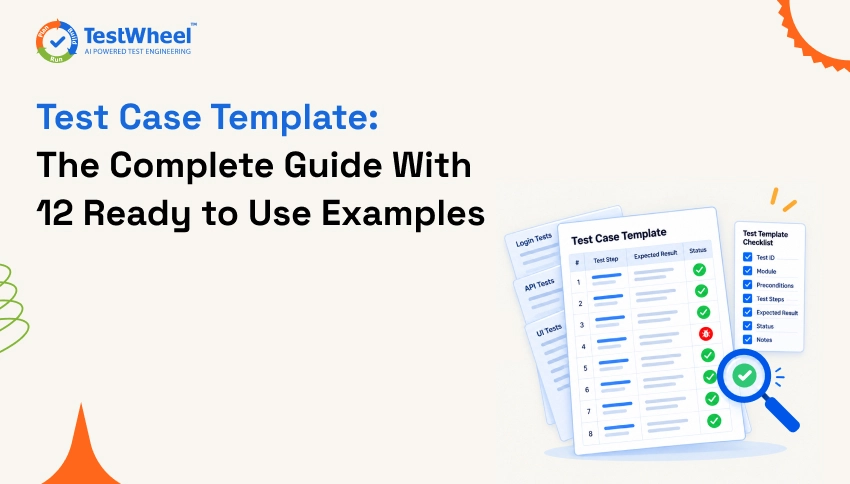
In our experience, the fields teams skip first are preconditions and test data. They’re also the ones that cause the most confusing failures, so we’d keep those even in a very lean format. Our test case template guide shows how to combine these into ready-to-copy templates.
Types of Test Cases in Software Testing
You can group test cases in two helpful ways: by what they check, and by the kind of result they expect.
Types by What They Check
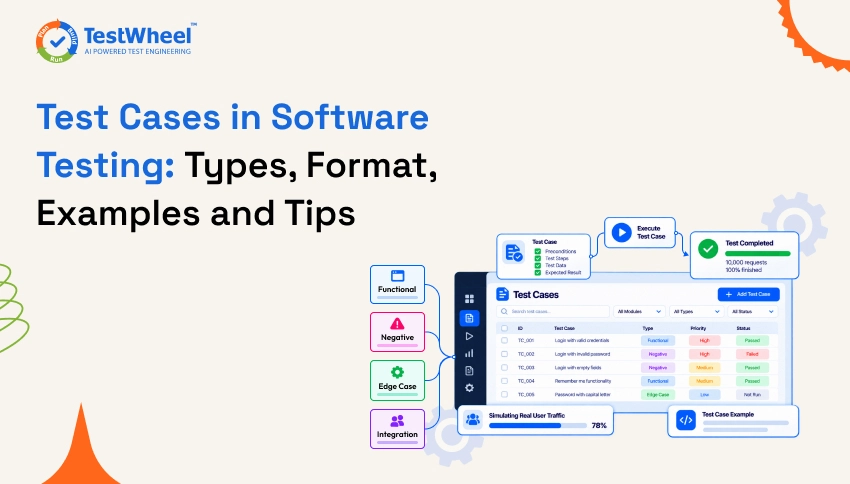
| Type | What It Checks | Example | Often Run |
|---|---|---|---|
| Functional | That a feature does what it should. | A user can reset their password. | Every build |
| UI | Layout, buttons, and visual behavior. | The Submit button is visible on mobile screens. | Each release |
| Integration | That modules work together. | An order placed on the site shows up in the inventory system. | After changes to connected parts |
| API | Backend requests and responses. | A request to create an order returns the right status code. | Every build |
| Usability | How easy the product is to use. | A new user can sign up in under three minutes. | Before launches and redesigns |
| Compatibility | Behavior across browsers, devices, and systems. | The payment form works on Chrome, Safari, and Firefox. | Each release |
| Performance | Speed and stability under load. | The home page loads in under two seconds with 500 users. | Before releases and big events |
| Security | Protection against misuse and unauthorized access. | A logged-out user can’t open the admin page. | Regularly |
| Database | That data is stored and retrieved correctly. | A new customer record is saved with the right fields. | After schema or data changes |
| Regression | That old features still work after a change. | Checkout still works after a payment update. | Every release |
| Smoke | A quick check that the build is stable enough to test. | The app launches and login works. | Every new build |
| Sanity | A narrow check that a fix or small change works. | The invoice download button works after the bug fix. | After fixes |
| User Acceptance (UAT) | That the software meets business needs. | A finance user can approve an invoice end to end. | Before go-live |
Several of these belong to the non-functional family. Our non-functional testing guide explains how they fit together, and our post on performance testing vs load testing vs stress testing goes deeper on the performance side. For API-heavy products, see our guide to API testing strategies. Want a template for each type? We’ve put twelve of them in our test case template guide.
How the Types Work Together in a Release
The types aren’t a menu where you pick one. In a typical release, they run in a sensible order, and each stage protects the next.
- Smoke test cases run first on every new build. If the app can’t even launch or log in, there’s no point going further.
- Functional, API, and UI test cases check the new and changed features.
- Regression test cases confirm that nothing old broke.
- Compatibility, performance, and security test cases run against the release candidate.
- User acceptance test cases give the business a final say before go-live.
- Sanity test cases handle any last-minute fixes without rerunning everything.
Types by Expected Result
This grouping is simple but powerful, because a good test suite needs both kinds.
- Positive test cases check that the software works when users do the right thing. Example: logging in with a correct email and password takes the user to the dashboard.
- Negative test cases check that the software handles wrong or unexpected input safely. Example: logging in with a wrong password shows a clear error message and doesn’t let the user in.
Beginners often write only positive test cases, then get surprised when real users type something unexpected. We make a point of reviewing every suite for this imbalance, because negative cases are where many real-world bugs hide.
Importance of Test Cases
Why bother writing test cases at all? Because testing without them depends on memory and mood, and neither is reliable.
- They create a shared understanding. Testers, developers, and product owners can all read the same test case and agree on what “working” means.
- They make testing repeatable. Anyone can run the same test the same way, so results don’t depend on who happened to be testing that day.
- They help you cover what matters. Writing cases against requirements shows you gaps before a release instead of after.
- They make bugs easier to fix. A failed test case already contains the steps to reproduce the problem.
- They speed up onboarding. New team members learn how the product should behave by reading and running existing cases.
- They support audits. In regulated areas like finance, healthcare, and tax, documented test cases are evidence that you checked the software properly.
- They’re the foundation for automation. You can’t automate a test you haven’t clearly described.
Test Case Examples
Here are five realistic examples. Each one is a different style of test, and each comes with a short note on what it teaches. The first two also show how a test case looks after it’s been run, with the actual result and status filled in.
Example 1: Positive Functional Test Case (After Execution)
| Field | Detail |
|---|---|
| Test Case ID | TC_CART_001 |
| Title | Add an in-stock item to the cart |
| Type and Priority | Functional, positive, high |
| Preconditions | The user is on the product page for an in-stock item. |
| Steps | 1. Select size M. 2. Click “Add to cart.” 3. Open the cart. |
| Test Data | Product ID 4821, size M, quantity 1 |
| Expected Result | The item appears in the cart with size M, quantity 1, and the correct price. The cart badge shows 1. |
| Actual Result | The item appeared with size M, quantity 1, and the correct price. The badge showed 1. |
| Status | Pass |
What it teaches: The expected result lists four things to check, not just “item is in the cart.” That’s what makes a pass or fail easy to call.
Example 2: Negative Test Case (After Execution)
| Field | Detail |
|---|---|
| Test Case ID | TC_ATM_004 |
| Title | Withdraw more than the account balance |
| Type and Priority | Functional, positive, high |
| Preconditions | The customer is logged in at the ATM, and the balance is $200. |
| Steps | 1. Select “Withdraw.” 2. Enter $500. 3. Confirm. |
| Test Data | Balance $200, withdrawal amount $500 |
| Expected Result | The ATM shows an “Insufficient funds” message, dispenses no cash, and the balance stays at $200. |
| Actual Result | (Illustrative failure) The ATM showed the message, but the balance screen briefly displayed -$300 before refreshing. |
| Status | Fail, defect logged |
What it teaches: The test checks the balance after the error, not only the message. That’s how you catch the quiet side effects that a message-only check would miss.
Example 3: UI and Usability Test Case
| Field | Detail |
|---|---|
| Test Case ID | TC_SRCH_007 |
| Title | Search with no matching results |
| Type and Priority | UI and usability, medium |
| Preconditions | The store website is open |
| Steps | 1. Type a meaningless word in the search box. 2. Press Enter. |
| Test Data | Search term “zzzxqw” |
| Expected Result | The item appears in the cart with size M, quantity 1, and the correct price. The cart badge shows 1. |
| Actual Result | The page shows a friendly “No results found” message with a link to browse categories. There’s no error page and no blank screen. |
What it teaches: “Nothing found” is a state users hit all the time, and it’s easy to forget. A good suite tests it on purpose.
Example 4: API Test Case
| Field | Detail |
|---|---|
| Test Case ID | TC_API_012 |
| Title | Create an order with valid data |
| Type and Priority | API, positive, high |
| Preconditions | A valid authentication token is available, and the item is in stock |
| Steps | 1. Send a POST request to /api/orders with the request body. 2. Check the status code. 3. Check the response body. 4. Fetch the new order by its ID. |
| Test Data | {“productId”: 4821, “quantity”: 1} |
| Expected Result | The response is 201 Created with an order ID and status “pending.” The order can be fetched with a follow-up request. |
What it teaches: The last step confirms that the order was really saved, not just that the server said so.
Example 5: Mobile Test Case
| Field | Detail |
|---|---|
| Test Case ID | TC_MOB_003 |
| Title | App resumes correctly after an incoming call |
| Type and Priority | Mobile, compatibility, medium |
| Preconditions | The app is installed, and the user is logged in and on the payment screen |
| Steps | 1. Start typing card details. 2. Receive a phone call. 3. Answer and end the call. 4. Return to the app. |
| Test Data | One Android device and one iOS device |
| Expected Result | The app returns to the same payment screen with the typed details intact. There’s no crash and no logout. |
What it teaches: Real phones get interrupted. Test cases for mobile should cover the messy moments, not just the clean path.
What Separates a Good Test Case From a Weak One
The difference is usually clarity. Here’s the same check written two ways.
| Element | Weak version | Clear version |
| Title | Check login | Log in with a valid email and password |
| Steps | Try to log in | 1. Open the login page. 2. Enter the email. 3. Enter the password. 4. Click “Sign in.” |
| Test data | Any account | Email: tester01@example.com, password stored in the test data sheet |
| Expected result | It works | The user lands on the dashboard, and their name appears in the top right corner |
The weak version forces the tester to guess, and two people will guess differently. The clear version leaves nothing to interpretation.
Test Case Format in Software Testing
There’s no single required format, but most teams use one of three. The right one depends on who reads your test cases and how you run them. If you want ready-made versions of the standard table, with an Excel walkthrough, they’re in our test case template guide. Here, we’ll compare the three styles themselves.
1. The Standard Table Format
This is the most common test case format in software testing. Each test case is a row or a card with fields such as ID, title, preconditions, steps, test data, expected result, actual result, and status. The five examples above all use it. It’s the best fit for formal testing and audits, because every field has a clear place.
2. Given, When, Then (BDD Style)
Teams that work with behavior-driven development often write test cases as plain-language stories. It reads naturally and is easy for non-technical teammates to review.
Scenario: Customer withdraws cash within the balance
Given the customer is logged in at the ATM
And the account balance is $500
When the customer withdraws $100
Then the ATM dispenses $100
And the balance shows $400
3. The Checklist Format
For quick, low-risk checks, some teams use a simple checklist of one-line statements, such as “Search returns results for a valid keyword.” It’s fast to write and good for smoke checks or exploratory sessions, but it doesn’t hold enough detail for complex or regulated testing.
Which Format Should You Use?
| Format | Best for | Watch out for |
| Standard table | Most teams, formal testing, audits | Can feel heavy for very small changes |
| Given, When, Then | Agile teams, shared reviews with business users | Needs discipline to stay specific |
| Checklist | Quick checks and exploratory testing | Too light for complex or regulated work |
Tips for Writing Better Test Cases
These are habits we’ve picked up from reviewing real test suites. They’re small, but they make a big difference.
- Write the title as an outcome. “User sees an error for a wrong password” tells you more than “Login test 3.”
- Name your data. “Enter a valid email” invites guesses. “Enter tester01@example.com” doesn’t.
- Leave out details that change. Mentioning a button’s color or exact position makes the test break after a harmless redesign. Describe what the user does, not how the screen looks that week.
- Test what happens after the error, not just the error message. Check that nothing was saved, charged, or changed by mistake.
- Think about the careless user. What happens if they double-click, go back, paste text with spaces, or leave a field empty?
- Use one word for one thing. If the screen says “Sign in,” don’t call it “Log on” in the test.
- Don’t chain tests together. A test that only works after another one has run is fragile and hard to debug.
- Mention the cleanup. If a test creates data, say how it gets removed, or later runs will behave strangely.
- Read it out loud. If a step sounds confusing when you say it, it’ll confuse the tester too.
- Ask a teammate to run it cold. The first place they get stuck is the first thing to fix.
Best Practices for Test Cases
Tips are about writing one test case well. Best practices are about running a whole suite of them well across a team. We keep naming, grouping, and version habits in our test case template guide, so here we’ll focus on how teams work with test cases day to day.
- Review test cases the way you review code. A short peer review catches vague steps, missing cases, and wrong expectations early.
- Bring testers in early. When testers read requirements and user stories before development starts, they write better cases and ask better questions. Our shift left testing guide explains why.
- Make each test independent. Any test should be able to run alone and in any order.
- Reuse common steps. If twenty tests start with “log in,” define that once instead of copying it twenty times.
- Keep test data separate and safe. Never use real customer data, and make it easy to reset data between runs.
- Automate what’s stable and repeated. Regression and smoke tests are the best candidates. Keep exploratory and usability checks manual. Our guide to no-code software testing shows how teams get started without writing scripts.
- Learn from failures. When a test fails, ask whether the product or the test was wrong. If the test keeps failing for unclear reasons, rewrite it.
- Track a few honest numbers. Pass rate, defects found, and requirement coverage tell you whether your tests are earning their keep.
How to Manage Test Cases
Managing test cases mostly means knowing what state each one is in. In the teams we work with, a healthy test case moves through simple stages.
- Draft. The author writes the case.
- In review. A teammate checks it for clarity and coverage.
- Ready. It’s approved and available to run.
- Executed. It has a status for the current cycle.
- Maintained or retired. It’s updated when the product changes, or removed when the feature goes.
Group related cases into suites, give every case an owner, and make the current status visible to everyone. As your suite grows, a proper process and tooling pay off. Our guide to test management, its components and process goes into much more depth, and our guide to test case prioritization helps you decide what to run first when time is short.
How to Store Test Cases
Where you keep test cases matters less than keeping them in one place that everyone can reach. Ask four questions before you choose: How many people edit them? Do you need reports? Do they need to link to bugs and stories? And do you also have automated tests?
| Option | Good for | Watch out for |
| Spreadsheets | Small teams and early projects. See the Excel pros and cons in our test case template guide. | Hard to track history and links as the suite grows |
| Test management tools | Growing teams that need reports and traceability | Setup time and cost |
| Your issue tracker (such as Jira) | Teams already working in Jira, linking tests to stories and bugs | Execution tracking may need an add-on |
| A code repository | Automated tests written as code, with full version history | Not friendly to non-technical team members |
Whichever you choose, keep a single source of truth, so nobody runs a stale copy from a forgotten folder.
How to Keep Test Cases Up to Date
Outdated test cases cause false failures, and false failures train people to ignore the results. A few simple habits keep your suite fresh.
- Change tests in the same sprint as the feature. When a story changes behavior, the related test cases change with it.
- Turn production bugs into test cases. If a bug slipped through, add a test so it can’t sneak back in.
- Review the suite on a schedule. After each release, or at least every quarter, scan for tests that no longer match the product.
- Give every test case an owner. If nobody owns a test, nobody updates it.
- Fix or retire quickly. Mark failing tests as outdated, then repair or delete them instead of leaving them around.
- Reduce manual upkeep where you can. For automated tests, self-healing features update scripts when the interface changes, so small UI tweaks don’t break your suite.
Benefits of Using Test Cases
Importance is about why test cases matter. Benefits are what your team gets from them in everyday work.
- Better coverage. You can see what’s been tested and what’s been missed.
- Fewer escaped defects. Clear checks catch more problems before customers do.
- Objective results. A test either met the expected result or it didn’t, which ends “it works on my machine” debates.
- Time saved on reruns. Once a test case is written, every future release reuses it.
- Smoother handovers. When someone leaves or joins, the knowledge stays in the test suite instead of in one person’s head.
- Easier progress tracking. Counts of passed, failed, and not-run tests show where a release stands at a glance.
- A clear audit trail. You can show exactly what was checked, when, and by whom.
- A ready path to automation. Well-written cases convert into automated tests much faster.
Challenges of Using Test Cases
Test cases aren’t free, and teams run into the same problems again and again. The good news is that each one has a practical fix.
| Challenge | Why it happens | How to handle it |
| Writing takes time | Detailed cases are slow to write by hand | Start with high-risk areas, reuse common steps, and use automation or AI to draft cases |
| Test cases go stale | Products change faster than documents | Update tests with every change and review them on a schedule |
| Vague or unclear steps | Written in a rush, or only the author understands them | Use peer reviews and a simple writing standard |
| Gaps in coverage | Requirements are unclear or tests focus on the happy path | Link tests to requirements and add negative cases |
| Too many tests | Suites grow without anyone pruning them | Prioritize by risk and retire outdated tests |
| Inconsistent formats | Each tester writes in their own style | Agree on one format and share a template |
| Hard to fit into fast agile cycles | Heavy documentation slows short sprints | Keep cases lean and use lighter formats for low-risk work |
| Manual running is slow and repetitive | Large regression suites take days by hand | Automate stable, repeated tests |
How TestWheel Helps With Test Cases
Writing and maintaining test cases by hand is where most teams lose time, and it’s the problem we built TestWheel to reduce.
If your team works in Jira, the TestWheel app for Atlassian reads a user story and generates the matching test cases automatically, so requirements turn into tests without anyone translating them by hand. Our AI test automation solution converts manual test cases into automated scripts, and because TestWheel is no-code, testers without programming skills can build and run them across web, API, mobile, performance, and security testing. Self-healing keeps automated tests running when your interface changes, and DevOps and CI/CD integrations connect results to your pipeline and Jira bug tracking. For a closer look at AI-written test cases, read our guide on how to generate test cases with AI.
You can see how it works on the How It Works page, or try it yourself with a free trial.
Conclusion
Test cases are the backbone of reliable software testing. They turn “I think it works” into “here’s exactly what we checked, and here’s what happened.” A solid test case has a clear goal, specific steps and data, and an expected result nobody can argue with. A solid suite mixes positive and negative cases, covers the right types of testing, and gets reviewed and updated as the product changes.
If you remember only three things, make them these. Write every test case so a stranger could run it. Check what happens after an error, not just the error message. And keep your suite alive by updating it whenever the product changes.
Ready to spend less time writing and maintaining test cases? You can schedule a demo of TestWheel, or keep learning on the TestWheel blog.
FAQs for Test Case
A test case describes what to check and how, and a person can run it. A test script is the automated version, written in code or built in a no-code tool, so a machine runs the steps. Many test scripts start life as well-written manual test cases.
There’s no magic number. A better question is whether your test cases cover every requirement, the highest risks, and the main positive and negative paths. Link tests to requirements, then look for requirements with no tests or only one. A small suite that’s well targeted beats a huge one that isn’t.
Usually QA engineers and testers, but they shouldn’t write them alone. Business analysts, product owners, and developers can review them or add acceptance criteria. Some teams also use tools that draft test cases from user stories, and then a tester reviews and fixes them.
Detailed enough that someone unfamiliar with the feature can run it without asking questions, and short enough that they don’t lose the thread. As a rough guide, many teams aim for around 5 to 10 steps. If a test needs far more, it’s usually two tests in one.
No. Automate tests that are stable, repeated often, and easy to describe precisely, such as regression and smoke tests. Keep manual testing for exploratory work, usability checks, and one-off scenarios, where human judgment matters more than speed.
Yes. Exploratory testing relies on a tester’s skill and curiosity instead of scripted steps, and it’s great at finding surprises. But it’s hard to repeat, measure, or prove later, so most teams use it alongside documented test cases, not instead of them.
Acceptance criteria describe what a feature must do in order to be accepted, usually in a sentence or two on a user story. A test case turns one of those criteria into exact steps, data, and an expected result. One acceptance criterion often leads to several test cases.
A test case is written before testing to describe a check, while a bug report is written after testing to describe a problem you found. They connect, though. A failed test case usually becomes a bug report, and a good bug report often becomes a new test case so the bug can’t return.
Each test case should point to the requirement or user story it checks. That link, often called traceability, lets you see which requirements have tests, which don’t, and which tests are affected when a requirement changes.
The usual ones are Not Run, In Progress, Pass, Fail, Blocked, and Skipped. “Blocked” means the test can’t run yet, perhaps because a bug or a missing environment is in the way. Keeping the statuses simple makes progress reports easy to read.