-
December 5, 2025
- Share:
-

-

-

-

Ever had a payment processing system go down at 2 am? After hours of frantic searching, you find that the bug was a minor API update that passed through the CI pipeline without a single test failure.
By the time you catch it, you’ve lost real money in transaction volume.
Then there are the usual questions by QA leads during any product launch: “Did the regression suite really run on every platform?” “Why is API test coverage at 60%?” “Is there a human alive who actually understands our test automation for Salesforce?”
This happens when testing isn’t continuous, just theatrical. Many teams will have automation scripts, but they run in isolation, break often, and are generally untrustworthy.
If this seems familiar, TestWheel might help. The TestWheel platform utilizes AI astutely to deliver pragmatic, real-world automation for enterprise QA teams.
The Paradox of Continuous Testing for Enterprise
For the most part, enterprise automation testing doesn’t run into tooling problems as much as complexity problems. In 2025, you’re not just testing a web app, but orchestrating quality assurance across,
- Salesforce instances with 52 custom objects.
- Oracle EBS modules that finance won’t let you touch outside maintenance windows.
- Native iOS and Android apps that your mobile team ships every two weeks.
- REST APIs powering integrations nobody has fully documented.
- Legacy desktop applications still running on some of the sales team’s laptops.
Take this, multiply it across multiple environments (dev, staging, UAT, prod), time zones (offshore team in Bangalore, nearshore in Costa Rica, onshore in Chicago), and compliance requirements (HIPAA, SOC 2, FedRAMP, etc).
The above is the bare minimum. And it is impossible to achieve without continuous testing at scale.
Continuous Testing is Survival for Modern Enterprises
These days, pushing a release every six weeks can’t be called “agile”. Now, testers have to push daily deploys, run hotfixes on demand, and get features flying out to meet business needs that popped up yesterday.
As tests expand, so does the complexity. Enterprises often have to run dozens of apps, each customized and integrated with different partners and vendors, across environments that keep changing every hour.
To meet these needs, unchecked manual testing simply cannot scale. Enterprises have to automate the repetitive parts and focus testers’ energy on edge cases and innovation to stay competitive.
A tool like TestWheel can help with that, but more on that later.
Traditional Test Automation Crumbles Under Enterprise Weight
Let’s take an example:
You’re a QA manager, and your team maintains:
- 3,200 Selenium scripts (half of which fail intermittently).
- Separate mobile testing tools for iOS/Android (different frameworks, different reporting).
- Postman collections for API tests (version-controlled in different repos).
- JMeter scripts for performance testing (that only one team member understands, and that one team member has just given notice).
Your “automated” regression suite takes 20 hours to run, and your developers commit code 300+ times per day.
The problem is obvious.
What you’re looking at is enterprise CI/CD testing hell. It’s choked with tool sprawl maintenance debt, and scripts so brittle they break when someone coughs near the DOM.
TestWheel changes this with a fundamentally different approach: AI-enhanced, low-code test automation that scales with enterprise complexity.
Here’s how.
How TestWheel Supports CI/CD and Continuous Testing for Enterprise Applications
Let’s get to the meat and potatoes. Here’s what you get with TestWheel:
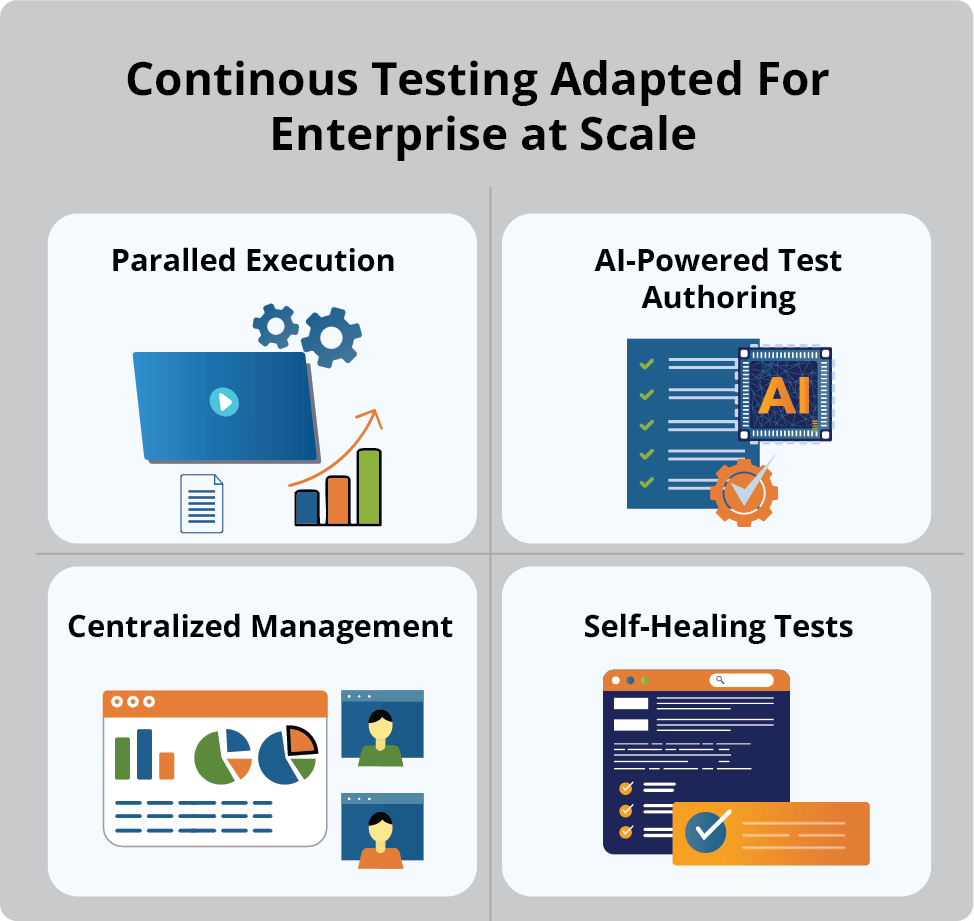
Enterprise-Grade Security
Single Sign-On
Robust SSO integration (supporting SAML 2.0, OAuth 2.0, and OpenID Connect) allows your team to authenticate once through your existing identity provider: Okta, Azure AD, or Google Workspace.
So, if a DevOps engineer in Korea triggers a test run at 11 PM and it fails, and she needs to pull in your QA lead from New York who just woke up…SSO will provide seamless, secure access without password resets, VPN struggles, or security stress.
Dedicated Instances
Shared infrastructure does not work for enterprise automation testing at scale.
TestWheel’s dedicated instances offer:
- Isolated computing resources, so large performance tests don’t impact your functional regression suite.
- Guaranteed execution capacity during deployment windows. No more “sorry, the platform is at capacity” messages at 1 PM on Release Friday.
- Predictable performance that lets testers set SLAs their CFO will approve.
Custom On-Premise Solutions
Not everything can live in the cloud.
Defense contractors, pharmaceutical companies handling clinical trial data, or financial institutions have to run under strict regulatory oversight. Their security teams require much more from their testing solutions.
TestWheel’s on-premise deployment option has you covered with:
- Full data sovereignty. Your test data, test results, and artifacts never leave your infrastructure.
- Air-gapped testing for highly sensitive or classified software.
- Custom compliance configurations mapped to regulatory requirements
Full-Stack Test Coverage
A few years in the QA game will reveal that tool sprawl kills continuous testing faster than bad code. TestWheel simplifies operations across mobile, desktop, and API test automation, doing away with lengthy code authoring and maintenance.
Mobile Test Automation
TestWheel offers low-code native mobile testing, handling iOS and Android from one unified UI. No separate frameworks, no different scripting languages, no maintaining parallel test suites.
Desktop Application Testing
TestWheel’s desktop application testing feature saves testers from maintaining a separate test infrastructure for their legacy estate. Whether you’re testing a React SPA or a 15-year-old .NET desktop app, you get the same low-code interface, same reporting, same CI/CD integration.
API Testing
An enormous number of bugs show up in the user-facing API layer. TestWheel simplifies API testing via:
- REST API validation (GET, POST, PUT, DELETE, PATCH).
- Authentication flows (OAuth 2.0, API keys, JWTs).
- Request chaining (using response data from one API call to parameterize the next).
- Schema validation.
Run API tests first in your CI pipeline as a fast feedback layer. They execute in seconds, catch backend regressions immediately, and give developers actionable insights.
Performance Testing
Performance testing tools in TestWheel enable load simulation without getting stuck in JMeter XML or learning Gatling Scala scripts. Functional QA teams can build performance scenarios without becoming specialists, thanks to the codeless approach.
DevOps Ecosystem Integration
Isolating test automation from development is the fastest way of making tests irrelevant. TestWheel’s CI/CD test automation ensures the opposite, by integrating deeply with your build pipelines.
- Azure DevOps: Add TestWheel test runs as pipeline tasks. Your pull request doesn’t complete until tests pass. Your deployment gates automatically enforce software quality.
- Jenkins: Trigger test suites via REST API or Jenkins plugins.
- GitLab: Seamessly integrate with GitLab by running automated tests within your defined CI/CD pipeline stages, such as “build,” “test,” and “deploy.” Whenever code is pushed or a merge request is created, GitLab executes the pipeline, triggering TestWheel to run unit, integration, or end-to-end tests.
- Jira: Integrate to create tickets with full test execution context, attached screenshots, and test runs linked to the specific code changes that triggered them (git commits, PR numbers, the works). Jira also updates ticket status based on re-test results.
Specialized Testing Integrations for Workday, Salesforce, and Oracle
TestWheel offers specialized pipelines to facilitate hassle-free test automation across common enterprise applications, in active use.
For Salesforce: TestWheel utilizes AI-first automation to handle Salesforce chaos. It deploys:
- Self-healing locators that adapt when Salesforce regenerates component IDs.
- Test generation geared to work with the Salesforce UX.
- Visual AI-based recognition to find elements by appearance when traditional locators fail.
- Metadata-driven test authoring mapped to Salesforce objects, fields, and flows.
For Oracle: TestWheel handles Oracle’s architecture with specialized connectors built for this very purpose. It provides stable Oracle application testing with low-code workflows that require no heavy scripting.
For Workday: Build reusable test components for common Workday objects (workers, positions, organizations). Layer them into complex business scenarios without building every test from scratch.
Budget-Friendly Enterprise Testing Without Interruption
Most procurement teams are deeply concerned with the total cost of ownership, as they should be. Commonly, a traditional enterprise test stack will look something like:
- Selenium Grid infrastructure: $8,000/month (AWS compute for 20+ concurrent test nodes)
- BrowserStack/Sauce Labs: $12,000/month (cross-browser and mobile device testing)
- BlazeMeter or Flood.io: $6,000/month (performance and load testing)
- Postman Pro: $2,400/year (API testing and mocking)
- Jenkins enterprise: $15,000/year (CI/CD orchestration with support)
- Staff costs for maintenance: 2.5 FTEs at $120K = $300,000/year
- Grand total: ~$370,000/year minimum.
(all numbers are approximations from industry experience of our QAs)
The above doesn’t even include the opportunity cost of slow test execution and the revenue lost due to bugs that slipped through.
TestWheel significantly lowers total costs by delivering a single platform that covers web, mobile, desktop app, API, and performance testing…within your existing CI/CD workflows.
You only deal with one platform, one contract renewal, one renewal cycle, and one vendor.
Common Implementation Pitfalls (And How to Avoid Them)
Before signing up for your TestWheel account, skim over these pitfalls so you can avoid them when actively testing:
Trying to Automate Everything Immediately
Don’t do it. Companies that try to convert 2000 manual test cases in one week burn out their team and get unstable test suites.
Start with smoke tests and critical business flows. Once those are stable and integrated, expand to other tests systematically.
If you can, adopt a “continuous migration” model. In every sprint, convert your 20 highest-value manual tests to automation.
Underestimating Test Data Management
Your tests are only as good as the test data. If your staging environment isn’t configured with representative data, your tests will pass falsely or just fail.
Install test data provisioning as part of the deployment pipeline. You can run TestWheel’s API testing features to set up preconditions before test execution.
Ignoring Your Developers
If devs don’t try out and understand your QA tools, they do not trust them. Always include devs in your team when rolling out TestWheel, right from day one. They should know how test failures in pull requests save them debugging time later.
If possible, run “test showcase” demos. Show devs what’s being tested and ask for feedback.
No Ownership of Test Quality
Automated tests require maintenance, or the suites degrade. Often, if nobody owns test suite health, it degrades. Failed tests get ignored, and the test debt piles on.
To prevent this, assign clear ownership for test suites (by application, by feature area, etc.). Review test health weekly.
Bear in mind: test maintenance is first-class engineering work, not an afterthought.
Why TestWheel For Continuous Testing for Enterprise?
Just skimmed through the previous thousands of words? We’ve got a summary for you:
TestWheel delivers:
✅ Security architecture that works for government, healthcare, and financial services (SSO[BG1] , Common Access Card CAC/Certificate based authentication dedicated instances, on-prem options).
✅ Complete test coverage from a single platform (web, mobile, API, desktop, performance).
✅ Native integration with your existing DevOps testing tools (Azure DevOps, Jenkins, Jira, GitLab).
✅ Enterprise application expertise for your complex systems (Salesforce, Oracle, Workday).
✅ Scalable economics that won’t blow up your testing budget.
✅ AI-powered efficiency that reduces maintenance burden and accelerates test authoring.
✅ Low-code approach that democratizes test creation across your entire QA team.
Bottomline: Continuous testing that is automated, fast, reliable, and informs every deployment decision.