-
November 14, 2025
- Share:
-

-

-

-


Does test automation sometimes feel like debugging spaghetti code at 2 am?
If you’ve ever built or managed a Selenium suite, you probably said yes. When a small UI tweak can cause 20 critical tests to fail, you are constantly on edge for the next alert. Next thing you know, you have to dig through lines of Java or Python code, hunting for broken selectors while sprint deadlines loom.
Smart testers often get caught up for hours, fixing brittle scripts instead of building smarter, more resilient tests.
But a tool like TestWheel can change that. Instead of needing painstakingly built Selenium scripts to work, this AI-powered test automation tool understands your test logic and does the coding itself.
Just upload your old Selenium scripts, and they will be converted into fully visual, no-code test cases. No Java. No Python. No late-night debugging nightmares.
Here’s how.
Why Modern Selenium Testing has Become so Complex
About a decade ago, you could fire up a couple of Selenium automation tools and scripts, and voila!…you’ve automated that flow.
Now, every regression suite seems like a fire-breathing dragon that won’t calm down. For all the power Selenium gives you, it comes at a cost. You now have to code to maintain tests while also coding to develop the actual app.
Here’s why:
- Selenium WebDriver works exceptionally well in smaller projects. As long as datasets are few, manageable, and clean, Selenium scripts run smoothly with a couple of Java or Python models. A couple of occasional selectors can be managed.
But as teams and software features grow, the cracks appear. Test coverage ramps up, and the code burden becomes impossible to ignore.
Every new test means a new class, new methods. When a QA team grows, there will be multiple testers writing in different styles (some in Java, some in Python). Maintaining cross-language, cross-style code requires extra time and effort.
Any changes in the application UI ( browser upgrades, new features, etc.) will require extensive script changes. More work, less productive work.
- In real-world QA situations, tests feel like liabilities. The more you have, the more you must maintain. Even a tiny UI tweak (a button moves, a CSS class changes) can cause dozens of tests to fail, despite business logic being the same. More time sunk into maintenance.
- Selenium tests usually depend on frameworks, WebDriver managers, browser versions, and driver binaries. All or any of these dependencies can be heavy on maintenance loads.
- Selenium automation tools are very hard to use for anyone who cannot code (and code well). Many QA analysts with extensive manual testing experience will hit a wall when dealing with an automation layer using Selenium scripts in Java or Python.
They have to learn programming concepts, WebDriver APIs, object-oriented design, and multiple test frameworks. This slows down their contributions, and manual testers become dependent on automation engineers.
Now, technical testers are running Selenium, and others are running manual tests. This does not work in Agile teams. We want everyone to contribute to tests.
- Selenium requires a maintenance backlog not just of tests, but of the infrastructure supporting the tests. To work, it has to integrate with CI/CD pipelines, test data infrastructure, defect tracking integrations, browser grid configurations, and more. The engineering overhead is enormous and expensive.
You also need a Selenium Grid or cloud-based cross-browser infrastructure (which needs monitoring).
If a team uses multiple languages (Java, Python, C#) to code, you need build/test pipelines (Maven, Gradle, NUnit) for each.
It’s actually common for teams to spend 70% of coding time fixing existing tests rather than writing new ones. I’ve watched velocity drop, and businesses seeing automation as a burden.
I think we call it the “productivity paradox”.
The AI Shift to Smarter Selenium Testing
As any software product matures, the number of UI flows will double, newer frameworks will come in, and quick turnabout streams will become common. If you’re running scripts on Selenium automation tools, this is when you’ll observe that:
- The most minor DOM change will trigger a cascade of test failures.
- Flaky tests will become routine. You’ll keep asking, “Is the app broken, or is my test broken?”
- Test suite churn will grow so much that you’ll be spending more time fixing old tests than writing new ones.
- If you’re UI tech changes (say from jQuery to a SPA framework), the locator strategies used (static IDs/XPaths) will become obsolete, and your suite will snap.
How AI for Selenium Testing Changes the Game
“AI for Selenium testing” may seem like a marketing shtick. But if you’re Googling “Selenium AI, Selenium Java, Selenium Python”, the role of AI will make a massive difference to your automation strategies.
Here’s how no-code testing tools for Selenium (usually powered by AI) can optimize smarter Selenium testing:
Self-healing Locators and Dynamic Adaptation
AI-enabled tools (like TestWheel) build a profile of each web element, comprising attributes, visual context, elements, text, and semantic meaning. As a result, the engine can adjust and adapt locators when UI elements change.
For instance, if a button’s ID changes from btnSubmit to btnSend, a self-healing engine detects the change, explores alternate locators (CSS class, text label, relative position), and adjusts values at test runtime.
Predictive Failure Analysis and Anomaly Detection
Previously, the flow went: the test breaks → you fix the locator → re-run the test.
AI engines, however, monitor execution patterns, detect possible flakiness, and highlight tests likely to break based on historical events.
A tool like TestWheel will not only reverse engineer Selenium scripts. It will also study them to reduce pipeline stoppages, false alarms, and deliver faster, more actionable feedback.
Reverse-Engineering Existing Scripts into Codeless Workflows
This is where TestWheel especially shines. It self-heals tests and provides AI-powered test automation. It also lets testers upload existing Selenium scripts (Java, C#, Python) and automatically transforms them into no-code automation workflows.
For example, if you have 500 Selenium scripts in Java, some are probably failing, and many are brittle. Upload them to TestWheel, the platform will parse logic (flows, locators, assertions) and convert them into visual, maintainable test cases.
No manual code conversion, no steep re-coding budgets.
Reduced code dependency, Faster Onboarding
No-code testing tools for Selenium, like TestWheel, allow testers to pick up workflows visually and edit flows instead of editing code. This drastically shortens the onboarding curve.
Quick Checklist: Should you migrate from Selenium to Selenium Codeless Automation?
- How much of your automation budget is spent on maintenance vs new coverage? If it’s skewed heavily to maintenance, consider an upgrade.
- Are non-coding testers under-utilized because the scripts are too brittle or code-heavy?
- Do you experience frequent pipeline failures due to locator breaks or UI changes?
- Do you have legacy Selenium scripts sitting idle because the maintenance risk is high?
If you answered “yes” to any of these, an AI-powered, no-code approach will be key to your test optimization strategies. It’s time to explore codeless Selenium alternatives.
Enter TestWheel: From Selenium Chaos to Codeless Clarity
Upload your Selenium scripts; TestWheel reverse-engineers them into no-code test cases you can run, edit, and share — without touching the original codebase.
TestWheel is an AI-powered, no-code test automation platform built for reverse engineering Selenium scripts into no-code workflows (among other things).
Simply put, you can convert your existing Selenium scripts into codeless tests powered by refined, context-trained AI engines. The idea is to maintain test intent with existing variables (flows, selectors, data), but get rid of day-to-day script maintenance.
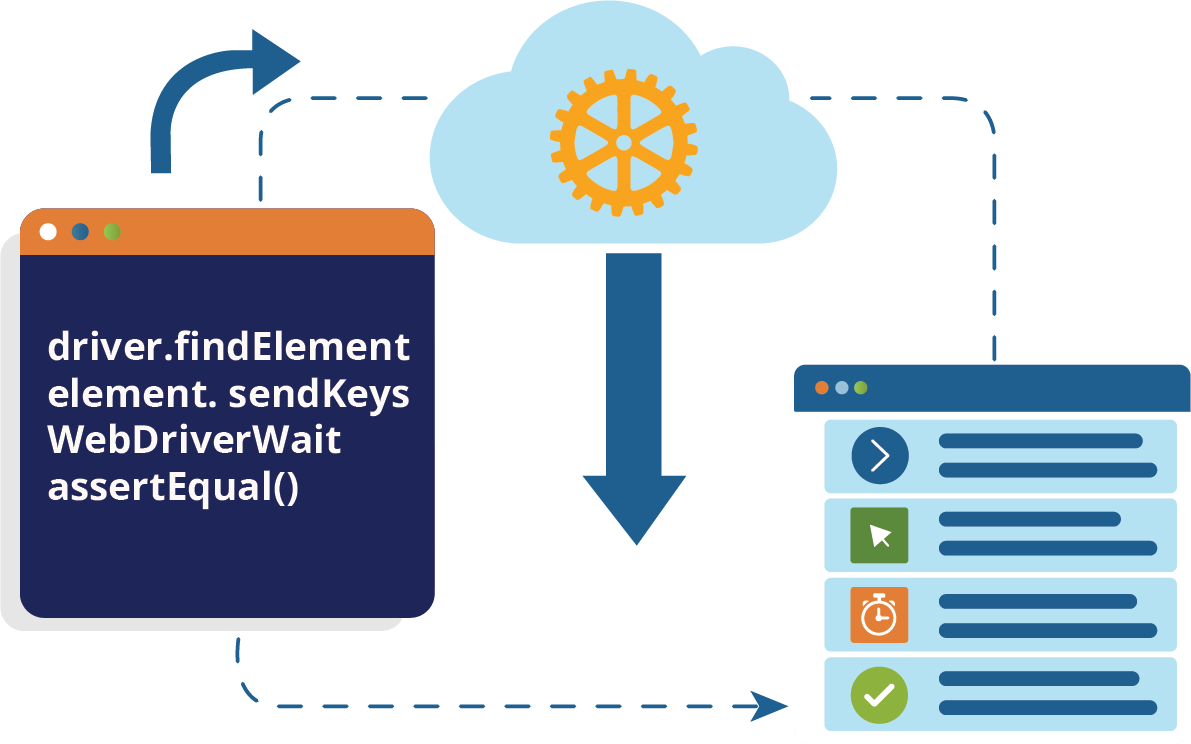
What Happens Under the Hood?
- Sign up for an account in TestWheel (free trial here).
- Upload Selenium scripts.
- TestWheel extracts page interactions and flow elements (clicks, inputs, waits, assertions) from the script. It maps them into codeless, editable steps, ready for testing.
- It pulls locators and fallbacks for the platform to apply self-healing measures anytime CSS/XPath changes after a UI change.
- It studies test data and variables (from parameters or hard-coded values) to parameterize test runs without rewriting code.
- It accounts for the environment context, so the same test can be run against dev/test/UAT/prod with minimal changes.
Testers manage tests visually. No Java, Python, or C#-based coding necessary.
These test steps are then executed end-to-end across web/API/mobile, all with codeless workflows.
In summary, TestWheel will convert Selenium scripts to no-code steps that can be understood and managed by stakeholders with no technical expertise.
Key Benefits
- If the DOM shifts, TestWheel runs automatic recovery and highlights only the meaningful changes in the report so you don’t sift through pointless data.
- All details and reports are presented in plain language with step-level detail. A non-developer can triage and act. Again, you convert Selenium scripts to no-code protocols.
- The admin, developer, and tester roles share the same testing abilities, but with different governance powers based on their access level.
| Selenium (Traditional) | TestWheel (AI + No-Code) |
|---|---|
| Requires Java/Python | No code: visual automation |
| Scripts break on small UI changes | AI auto-heals element locators |
| Manual debugging required | Automated visual reports |
| Hard to collaborate | Role-based dashboards |
| Complex setup for CI/CD | Built-in integrations |
The Real Payoff from TestWheel
Maintaining a Selenium suite through multiple releases is the very definition of a time drain. You have to update broken selectors, refactor outdated frameworks, sync driver versions, and spend more time keeping tests alive than building new ones.
An AI-powered test automation platform like TestWheel reclaims time from mundane debugging. This time can be reinvested into exploratory testing, UX validation, and relevant risk analysis.
Selenium codeless automation delegates the mechanical part of Selenium maintenance to AI. Human testers now have time to better define logic, flows, and intent. They maintain complete control.
But the grunt work of test upkeep? TestWheel handles that.
According to the World Quality Report 2024 (Capgemini), 63 % of organizations have already adopted AI-driven tools to reduce testing costs and dependency on coding languages.