- November 10, 2026
- Share:
-

-

-

-

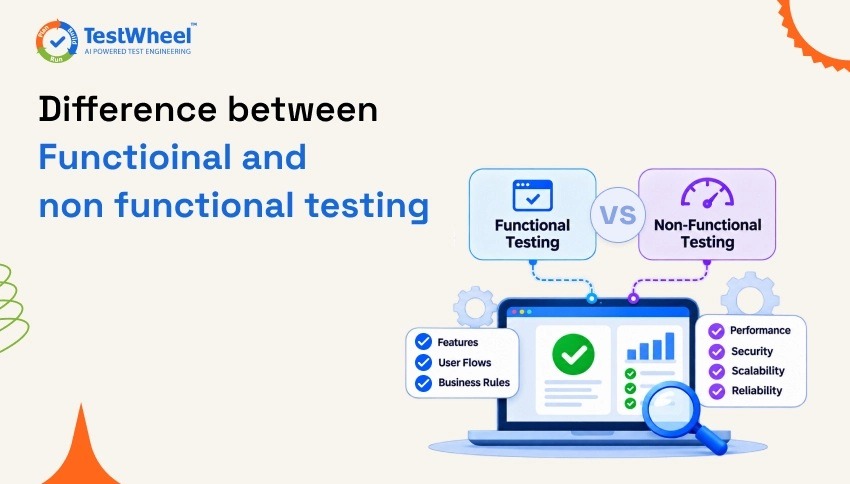
Functional testing and non-functional testing are two essential approaches to software testing. They help ensure that an application meets its requirements and delivers a smooth user experience. Functional testing focuses on verifying whether the application’s features work correctly, while non-functional testing evaluates its overall performance, security, and reliability.
Functional Testing
Functional testing verifies whether an application’s features behave as expected based on the specified requirements. It checks user interactions, inputs, outputs, and whether each function delivers the intended result.
Example: In an e-commerce website, functional testing checks whether users can log in, add products to their cart, complete the checkout process, and make payments successfully.
Non-Functional Testing
Non-functional testing evaluates the application’s overall quality and how well it performs under different conditions. It covers important aspects such as speed, scalability, security, usability, and reliability.
Example: In an e-commerce website, non-functional testing checks whether pages load quickly, the platform handles high traffic without slowing down, and customers’ payment information stays secure.
Key Difference Between Functional and Non-Functional Testing
- Functional testing: Verifies whether the application works according to its requirements.
- Non-functional testing: Evaluates how well the application performs in real-world conditions.
Both testing approaches contribute to software quality. Functional testing ensures that features work as intended, while non-functional testing helps deliver a secure, stable, and reliable application.
Detailed Comparison: 15 Feature-by-Feature Differences
| # | Feature | Functional Testing | Non-Functional Testing |
|---|---|---|---|
| 1 | Primary goal | Verify correct behavior against requirements | Verify attributes like speed, safety, and stability |
| 2 | Core question | “Does it work?” | “How well does it work?” |
| 3 | Requirement source | Functional Requirement Specification (FRS) | Non-functional requirements (SLAs, performance targets) |
| 4 | Test basis | Business rules and user workflows | Quality benchmarks (response time, uptime, load limits) |
| 5 | Testing approach | Black-box | Mostly black-box, sometimes infrastructure-level |
| 6 | Execution style | Manual or automated | Usually automated (load generators, scanners) |
| 7 | Timing in SDLC | Early, continues through release | Once functionality is stable |
| 8 | Example test types | Unit, integration, smoke, sanity, regression, UAT | Performance, load, stress, security, usability |
| 9 | Sample test case | “User can reset their password” | “Reset page loads under 2 seconds at 5,000 users” |
| 10 | Defects it finds | Broken workflows, wrong calculations | Slow responses, crashes, security gaps |
| 11 | Tools commonly used | Selenium, TestWheel, Cypress, Playwright | JMeter, LoadRunner, OWASP ZAP |
| 12 | Environment needs | Realistic test data | Production-like environment |
| 13 | Who typically writes it | QA engineers, SDETs | Performance engineers, security testers, SREs |
| 14 | Business risk if skipped | Users can’t complete core tasks | App frustrates, crashes, or gets breached |
| 15 | Relationship to release readiness | Confirms the feature is correct | Confirms it survives real-world conditions |
Conclusion
Choosing the right balance of functional and non-functional testing is key to successful software delivery. A well-planned testing strategy helps teams build applications that meet expectations, reduce potential risks, and deliver a better experience to end users.