-
October 9, 2026
- Share:
-

-

-

-

Picture a QA team that ships a release every two weeks. Most of the testing is still manual, because the people who know the product best aren’t the people who write automation code. The developers who could write it are busy building features. So, the automation backlog grows, regression testing eats the last three days of every sprint, and bugs still slip through.
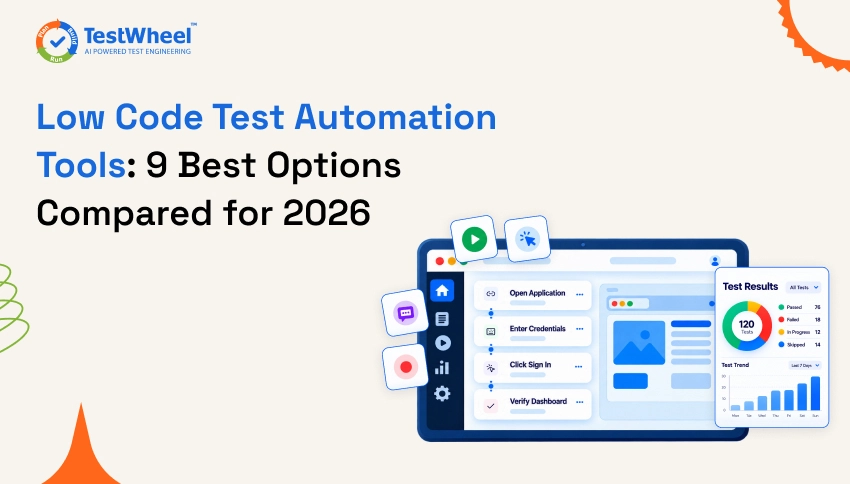
That’s the gap low code test automation tools were built to close. They let testers, business analysts, and developers create automated tests through visual builders, recorders, or plain English, instead of writing and maintaining scripts line by line.
But the market is crowded, and the claims are loud. Every vendor says “AI-powered,” “codeless,” and “self-healing.” So in this guide, we explain what low code test automation really is, how it works, and why it matters. Then we compare nine of the best low code test automation tools side by side, with honest notes on what each one does well, where it falls short, and what it costs.
One thing to be upfront about. TestWheel is our product, so it appears first in every list and table. We’ve still tried to describe every tool accurately, using public product pages and pricing listings, and we point out where information isn’t public.
Quick Answer: Which Low Code Test Automation Tool Should You Pick?
Short on time? Here’s the quick version.
- Best all-in-one AI, no-code platform: TestWheel (web, API, mobile, desktop, performance, and security testing in one place)
- Best mix of low code and full code: Katalon
- Best for visual, flow-based enterprise automation: Leapwork
- Best for real device and browser coverage: BrowserStack Low Code Automation
- Best for Windows desktop heavy teams: Ranorex Studio
The rest of this article explains why, so you can match a tool to your own team.
What Is Low Code Test Automation?
Low code test automation is a way of building automated software tests with very little hand-written code. Instead of writing a script in Java, Python, or JavaScript, you create tests by recording your actions, dragging and dropping steps in a visual editor, or describing what you want in plain English. The tool turns those steps into a test that can run again and again.
You’ll often see the terms “low code” and “no code” used together, and they aren’t exactly the same thing.
| Approach | How Tests Are Built | Who It Suits Best |
|---|---|---|
| Code-based (Selenium, Playwright, Cypress) | Engineers write scripts in a programming language | Developers and SDETs who want full control |
| Low code | Visual builders and recorders, with the option to add small pieces of code when needed | Mixed teams of testers and developers |
| No code | Plain English, recorders, or drag and drop, with no code at all | Manual testers, business analysts, and non-technical teams |
In real life, the line is blurry. Many tools in this guide sit somewhere in the middle, and vendors use the labels loosely. That’s why we cover “low code no code test automation tools” together here. What matters isn’t the label. What matters is whether your team can create, run, and maintain tests without waiting on a developer.
How Does Low Code Testing Work?
The details differ from tool to tool, but most low code testing platforms follow the same five steps.
1. You create the test. You record a real user journey in the browser or app, build the flow in a visual editor, or type the steps in plain English, such as “open the login page, enter an email, click Sign In, check that the dashboard appears.”
2. The tool maps each step to an element. Behind the scenes, the platform finds the buttons, fields, and links your test touches. Good tools store several identifiers for each element, such as its text, position, and attributes, so a small change in the page doesn’t break the test straight away.
3. Add data and checks. You tell the test what to type, what to select, and what result counts as a pass. Many tools let you run the same test with different sets of data, so one test covers many cases.
4. The test runs. Tests can run on demand, on a schedule, or automatically every time new code is pushed through your CI/CD pipeline. Cloud platforms can run many tests in parallel, which cuts the total run time.
5. The tool helps you maintain it. When the application changes, self-healing features try to update the test automatically instead of failing. Results, screenshots, and failed steps are then reported, often straight into a bug tracker like Jira.
If you have never written test cases before, it also helps to understand how a good test case is structured, because low code tools still run on the same logic: a clear step, a clear input, and a clear expected result.
Why Low Code Test Automation Matters
Software moves faster than manual testing can keep up with, and that’s the main reason more teams are making the switch.
The biggest win is that it removes the coding bottleneck. When anyone on the QA team can build an automated test, automation stops depending on one or two engineers who already have too much on their plate. Regression testing gets faster too. Repeating the same checks by hand every release is slow and dull, and dull work is where mistakes creep in. An automated test runs the same way every time.
It also makes testing earlier a realistic goal. When tests are quick to create, teams can check features as they’re built instead of waiting until the end. Our guide on shift left testing goes deeper on that idea.
Then there’s maintenance, which is where traditional frameworks hurt the most. One renamed button can break dozens of scripts. Self-healing in modern low code tools takes a big chunk of that repair work off your plate. If you’re weighing code-first frameworks, our article on the hidden gaps in Playwright automation covers where a code-only approach can leave teams stuck.
Last, more people get to take part in quality. Product owners, analysts, and manual testers can read, review, and even build tests, so quality stops being one team’s job.
How We Compared These Tools
We asked the same questions of every tool, so the comparison stays fair.
- What does it test? Web, API, mobile, desktop, and beyond.
- How are tests created? Recorder, visual builder, plain English, or a mix.
- How strong are the AI and self-healing features?
- What are the limits? Platform focus, learning curve, and how open the pricing is.
- What does it cost? We used each vendor’s public pricing page where one exists, and trusted software directories where it doesn’t. If a price isn’t public, we say so instead of guessing.
Prices change often, so treat the numbers below as a guide and confirm them with the vendor before you buy.
Low Code Test Automation Tools Comparison
Table 1: Features at a Glance
| Tool | Test Types Covered | How Tests Are Created | AI and Self-Healing | Best For |
|---|---|---|---|---|
| TestWheel | Web, API, mobile, desktop, performance, security | Plain English, recorder, AI agent, imports of manual tests | Yes, AI authoring and self-healing | Teams that want one AI, no-code platform for every test type |
| Katalon | Web, API, mobile, desktop | Low code and full code, record and playback | AI self-healing on paid bundles | Teams mixing testers and engineers |
| mabl | Web, API, accessibility, visual | Low code with GenAI natural language tests | Yes, auto-healing | Agile web teams in CI/CD |
| Tricentis Tosca | Web, mobile, API, packaged apps such as SAP | Model-based, codeless | Vision AI and AI-assisted automation | Large enterprises with complex application landscapes |
| Testsigma | Web, mobile, API, enterprise apps | Plain English and AI agents | Yes, AI self-healing | Teams testing enterprise apps like SAP and Salesforce |
| Testim | Web, Salesforce, mobile UI | No-code recorder, with JavaScript for advanced steps | Yes, AI Smart Locators and self-healing | Teams that want fast UI test authoring |
| BrowserStack | Web, mobile, desktop, API | Recorder, plain English steps, AI authoring agent | Yes, AI self-healing | Teams that want real device cloud and low code in one place |
| Leapwork | Web, desktop, mobile, virtual desktop, ERP | Visual drag and drop flows | AI-assisted maintenance | Large enterprises with complex apps |
| Ranorex Studio | Desktop, web, mobile | Recorder plus code modules | Not a headline feature | Windows desktop heavy teams |
Table 2: Pricing at a Glance
| Tool | Pricing Model | Entry Price Listed Publicly | Free Trial or Free Tier |
|---|---|---|---|
| TestWheel | Per user, per month | From about $10 per user per month on the Basic plan, enterprise by quote | Free trial |
| Katalon | Per seat, plus add-ons | Studio Enterprise at $229 per seat per month | Free version of Katalon Studio |
| mabl | Custom quote | Not published | Free trial |
| Tricentis Tosca | Custom quote, modular licensing | Not published | Free trial |
| Testsigma | Custom quote | Not published | Free trial |
| Testim | Usage based, Pro on custom quote | Not published for Pro | Free Basic plan listed in directories, confirm with vendor |
| BrowserStack Low Code Automation | Tiered plans | See BrowserStack pricing page | Free plan available |
| Leapwork | Custom quote | Not published | Free trial |
| Ranorex Studio | Annual per user license | Quote on request | Free trial |
The 9 Best Low Code Test Automation Tools
1. TestWheel
What it does: TestWheel is an AI-powered, no-code test automation platform that covers web, API, mobile, desktop, performance, and security testing in a single cloud platform. You can write test cases in plain English, talk to an AI agent that builds them for you, or use the TestWheel Recorder. Manual test cases can be converted into automated scripts, and existing Selenium tests can be moved into a self-healing, no-code setup through the Selenium to AI automation path. It also connects to Jira, Azure DevOps, and CI/CD pipelines, and the TestWheel app for Atlassian can read a user story and generate test cases from it automatically.
Where it falls short: TestWheel is built around no-code workflows, so engineers who prefer to hand-code every test in a framework may find a code-first tool more natural. It also has a smaller public review base and community than long-established tools, so you’ll find fewer third-party tutorials. A free trial and a demo are the best way to see whether it fits your stack.
Pricing: TestWheel offers a free trial. Public software directories list the Basic plan from about $10 per user per month, including 500 test minutes, with enterprise plans priced monthly per user on a custom quote. Check the current TestWheel pricing page for the latest plans.
2. Katalon
What it does: Katalon is a long-running testing platform that supports low code and full code side by side. Testers can use record and playback, while engineers can drop into scripts when a test needs custom logic. It covers web, API, mobile, and desktop testing, and its paid bundles add AI self-healing, test management, and cloud execution. It also offers a free version of Katalon Studio, which makes it easy to try.
Where it falls short: Cost can grow quickly. Katalon’s own pricing page sells the authoring tool, the headless runtime for CI, and the cloud execution environments as separate items, so a full setup costs more than the headline seat price. Teams that want a purely no-code experience may also find the IDE-style workspace heavier than they need. If you’re weighing the two, see our direct TestWheel vs Katalon comparison.
Pricing: Katalon Studio has a free version. Studio Enterprise is listed at $229 per seat per month, and annual billing works out cheaper per seat. Larger bundles such as True Automation cost more, and cloud execution is an add-on.
3. mabl
What it does: mabl is a low code, AI-driven test platform built for agile teams that ship often. It lets you create tests with a low code editor and with GenAI natural language steps, and it combines UI, API, and accessibility testing in one workflow. Its auto-healing features help tests survive small interface changes, and it plugs into common CI/CD tools.
Where it falls short: mabl doesn’t publish its prices, so you can’t budget without talking to sales. Third party analysis also points out that its credit-based model for cloud runs can make costs hard to predict when a large suite runs on every code change.
Pricing: Custom quote. Public listings show no fixed price, and third party estimates for entry plans vary, so treat any figure you see online as a rough guide and ask mabl for a written quote.
4. Tricentis Tosca
What it does: Tricentis Tosca is an enterprise test automation platform built around model-based testing. The tool scans your application and builds a library of reusable UI and API objects, and testers combine those objects into test cases without writing code. Vision AI helps it work with interfaces that normal object recognition struggles with, and risk-based test optimization helps teams focus on the tests that matter most. It supports web, mobile, API, and packaged applications such as SAP.
Where it falls short: Tosca has a steep learning curve, and reviewers describe the model-based approach and the wider ecosystem as heavy. Pricing and support also come up as ongoing challenges in user reviews, so it suits well-funded enterprises more than small teams. If you’re weighing it against a lighter option, see our TestWheel vs Tricentis Tosca comparison.
Pricing: Custom quote. Tricentis doesn’t publish fixed prices, and a third party review notes that the base platform, Vision AI, mobile testing, and SAP modules are often separate line items. A free trial is listed in software directories.
5. Testsigma
What it does: Testsigma is an AI-driven, low code platform that tests web, mobile, and API, and it also supports enterprise apps such as SAP, Salesforce, and Dynamics. Tests can be written in plain English, and its AI agents can generate test cases from sources like Jira stories.
Where it falls short: Pricing is quote based, so there’s no way to compare it with other tools without a sales call. A review of alternatives also notes that it doesn’t cover security testing, so teams that want security checks in the same platform will need another tool.
Pricing: Pro and Enterprise plans, both on a custom quote, with a free trial available.
6. Testim
What it does: Testim, part of the Tricentis family, is an AI-powered tool for creating and maintaining UI tests for web, Salesforce, and mobile applications. You can record tests with no code and add JavaScript when a step needs custom logic. Its AI Smart Locators and self-healing features keep tests stable when the interface changes, and tests run on cloud infrastructure and plug into CI.
Where it falls short: Testim is focused on UI testing, so teams that also want API, performance, and security testing in the same platform will need other tools alongside it. Public pricing is also thin, because the Pro plan is custom and budgeting means a sales conversation.
Pricing: Software directories list a free Basic plan and customizable Pro plans on request, along with a free trial. Confirm current plans with Tricentis, because there’s no official public price list.
7. BrowserStack Low Code Automation
What it does: BrowserStack Low Code Automation lets teams create, run, and maintain tests without writing code. It offers an interactive recorder, plain English steps, and an AI authoring agent, with self-healing, and it runs on BrowserStack’s real device and browser cloud. It supports web, mobile, desktop, and API testing, and it has a free plan.
Where it falls short: Advanced features sit behind paid plans, and BrowserStack costs in general tend to rise as you add parallel sessions and team members. The low code product is also newer than BrowserStack’s core device cloud, so check that it covers your workflows in a trial.
Pricing: A free plan is available, with paid tiers above it. Check BrowserStack’s pricing page for current numbers.
8. Leapwork
What it does: Leapwork is a no-code platform where you build automation as visual flows by dragging and dropping blocks. It handles web, desktop, mobile, and virtual desktop apps, and it works well with enterprise systems such as SAP, Salesforce, and Microsoft Dynamics. AI-assisted maintenance helps keep flows up to date.
Where it falls short: Highly customized scenarios can feel less flexible than in a code-first tool. Some reviewers also mention slowdowns during very large test runs. Pricing isn’t public.
Pricing: Custom quote through sales, with a free trial listed.
9. Ranorex Studio
What it does: Ranorex Studio is a mature automation tool for desktop, web, and mobile apps. It combines a recorder with a strong object identification system, and it lets engineers extend tests with C# or VB.NET. It’s especially popular with teams that test Windows desktop software.
Where it falls short: The Studio is Windows based, the learning curve is steeper than for newer cloud tools, and per user licensing can be expensive for larger teams. AI features aren’t its headline strength.
Pricing: Annual per user licensing, with standalone and floating options and a free trial. Request a quote for current numbers.
Best Low Code Test Automation Tools for Different Use Cases
Not every team needs the same thing. This table matches common needs to the tool that fits them best.
| Use Case | Recommended Tool |
|---|---|
| Best overall | TestWheel |
| Best for mixed code/no-code teams | Katalon |
| Best for enterprise automation | Tricentis Tosca |
| Best for AI-powered testing | TestWheel |
| Best for real devices | BrowserStack |
| Best for visual automation | Leapwork |
| Best for Windows desktop | Ranorex |
| Best for agile web testing | mabl |
How to Choose the Right Low Code Test Automation Tool
Feature lists all start to look alike after a while, so these questions help cut through the noise.
- What do you need to test? If it’s only a web app, a web-focused tool may be enough. If you also have APIs, mobile apps, desktop software, and performance needs, a platform that covers all of them saves you from stitching tools together.
- Who’s going to build the tests? If manual testers do most of the work, put plain English and recorder features first. If engineers are involved, a tool that also allows code can help.
- How much maintenance will it create? Ask to see self-healing demoed on your own app, not on a sample site.
- Can you see the price? Tools with no public pricing can still be a great fit, but plan for a sales process.
- Does it fit your workflow? Check Jira, Azure DevOps, and CI/CD support. A tool that lives outside your daily workflow rarely gets used.
- Can you try it on real tests? Run a proof of concept with your ten most painful regression tests. The results tell you more than any comparison table.
For a wider look at the testing tool market beyond low code, our roundup of the best software testing tools for QA teams is a good next read. If your focus is APIs specifically, see our guide to the best API testing tools.
Advantages of Low Code Test Automation
So what do teams actually get out of it? Mostly this:
- Tests get built faster, because creating one visually or in plain English takes far less time than scripting it.
- Manual testers and analysts can automate without learning a programming language first.
- Less time goes into repairing broken tests, thanks to self-healing and smarter element identification.
- Tests written in readable steps are easier for product owners and developers to review together.
- Teams automate more of what they used to check by hand, so coverage grows.
- Tests that run in CI/CD give developers results within minutes of a code change.
- Over time, less specialist coding and less script repair means your testing budget goes further.
It won’t cover everything, though. Tricky logic, unusual integrations, and heavy performance work can still need some code, which is why the better tools let you add it when you need to.
Why Choose TestWheel for Low Code Test Automation
So why consider TestWheel? Here are the reasons we think it’s worth a look.
Start with coverage. Most tools focus on one or two areas, but TestWheel brings web, API, mobile, desktop, performance, and security testing together, so your team learns one tool instead of five.
The AI does real work, too. The AI test automation solution converts manual test cases into automated scripts, and an AI agent can help you write tests just by chatting. If your team lives in Jira, the TestWheel app for Atlassian goes a step further. It reads a user story and generates the matching test cases automatically, so requirements turn into tests without anyone translating them by hand.
Maintenance is where it can save the most time. When your interface changes, TestWheel’s self-healing updates the affected tests instead of letting them fail, so your team spends its time finding bugs, not repairing scripts. And if you already have Selenium tests, you don’t have to start from zero. The Selenium to AI automation path moves them into a no-code, self-healing setup.
It also fits the way teams already work. DevOps and CI/CD integrations connect testing to your pipelines and to Jira bug tracking, so results land where your team already looks. For public sector and compliance-heavy projects, TestWheel’s government solutions include SSO and Iron Bank certification.
Still comparing vendors? Our side by side pages for TestWheel vs Katalon and TestWheel vs Tricentis Tosca lay out the differences. You can also see how it works on the How It Works page, browse case studies, or read the TestWheel documentation.
Conclusion
Low code test automation tools give QA teams a practical way out of the manual testing trap. More people can build tests, regression cycles get shorter, and you spend less time fixing scripts that broke for no good reason.
Which tool fits depends on your team. Katalon works well for mixed groups of testers and engineers. Leapwork suits large enterprises that like visual flows. BrowserStack Low Code Automation makes sense if real device coverage matters most, and Ranorex is a solid pick for Windows desktop work. If you want a single AI-powered, no-code platform for web, API, mobile, desktop, performance, and security testing, that’s what TestWheel is built for.
Before you commit to anything, try it on your own app. Run your ten most annoying regression tests through your top two or three picks and see what happens. That tells you more than any comparison table, ours included. When you’re ready to see TestWheel on your own application, you can schedule a demo or keep reading on the TestWheel blog.
FAQs Low Code Test Automation Tools
Low code test automation is a way of creating automated tests using visual editors, recorders, or plain English instead of writing full scripts by hand. It lets testers and analysts automate tests without deep programming skills, while still allowing small pieces of code when a test needs custom logic.
Low code tools let you build most tests visually and add some code when needed. No code tools aim to remove code completely, using plain English, drag and drop, or recorders. In practice, many platforms offer both, so the two terms are often used together.
Popular options include TestWheel, Katalon, mabl, Tricentis Tosca, Testsigma, Testim, BrowserStack Low Code Automation, Leapwork, and Ranorex Studio. The best choice depends on what you test, who builds the tests, and your budget.
Tools such as TestWheel, mabl, Testsigma, and Testim use AI to create or maintain tests, for example by writing steps from plain English or user stories and healing tests when the interface changes. Look for AI that saves real maintenance time, and ask for a demo on your own app.
Not completely. It replaces repetitive checks, such as regression tests, so manual testers can spend their time on exploratory testing, usability, and tricky edge cases that need human judgment.
Yes, in many tools. Platforms like TestWheel, Katalon, and BrowserStack Low Code Automation support API and mobile testing, but coverage differs by vendor, so check the supported test types before you choose.
Self-healing means the tool notices when an element on the page has changed, such as a renamed button, and updates the test automatically instead of failing. This reduces the time teams spend repairing broken tests after each release.
Prices range widely. Some tools list a per user price, such as TestWheel’s Basic plan from about $10 per user per month or Katalon Studio Enterprise at $229 per seat per month. Others, such as mabl, Tricentis Tosca, Testsigma, and Leapwork, price on a custom quote. Always confirm current pricing with the vendor.
Most modern platforms can. TestWheel, for example, connects with Jira, Azure DevOps, and CI/CD pipelines, and its Atlassian app can generate test cases from Jira user stories.
For many everyday tests, no. Testers can build and maintain them alone. Developers or SDETs may still help with complex integrations, custom logic, or performance work, which is why tools that also allow code are useful for mixed teams.