-
August 18, 2026
- Share:
-

-

-

-

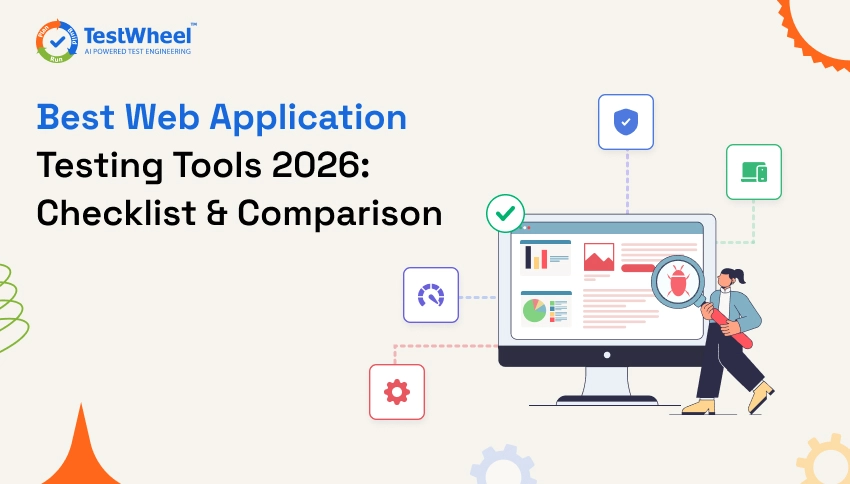
If you have ever watched a “Submit” button freeze on an online form, you know why web application testing tools exist. One missed test case, and customers are facing a bug might even lead to them uninstalling the app.
Picking the right web app testing tools helps QA teams ship new features fast without breaking the ones that already work. This guide walks through the best web application testing tools for 2026, how to pick one, and a practical checklist your team can use to make the decision.
But if you want the bigger picture first, TestWheel’s AI-powered testing platform covers most of what is discussed here.
What Is Web Application Testing?
Web application testing is a process of checking that a website or web app works the way it is supposed to, on every browser and device someone might use to open it.
Think of it like a chef tasting a dish before it leaves the kitchen. The chef checks the taste, the temperature, and the presentation before a customer sees the plate.
Similarly, web application testing checks whether buttons click, forms submit, pages load fast enough, and pages look right whether someone opens the site on Chrome, Safari, a laptop, tablet, or a phone.
Technically, web application testing covers several layers:
- Functional testing checks whether features behave as expected, like a login form accepting the right password and rejecting the wrong one.
- Compatibility testing checks the same page across browsers and operating systems, because Chrome and Safari don’t always render CSS the same way.
- Performance testing measures how the app behaves under real traffic.
- Security testing looks for weak points like unprotected forms or exposed data.
A solid automation testing tool for web applications usually touches most of these layers.
Why Are Automated Testing Tools for Web Applications Essential?
Automated tools run the same checks a human tester would, except they do it in seconds, every time code changes, without getting tired or making mistakes.
Let’s say a QA tester clicks through a 40-page checkout flow, on five browsers, before every release. That is realistic for a small app.
Manual testing is not realistic for a team shipping code multiple times a day. Automated testing tools for web applications take that repetitive work off a human’s plate and run it automatically as part of the build pipeline.
A single unhandled edge case, like a discount code that breaks the total on Firefox but works fine on Chrome, can damage user experience for weeks before it gets flagged. By then, it has already degraded sales and customer trust.
Automated web application testing tools catch that kind of issue before the code reaches a live user. This is because the same test suite runs on every browser combination automatically.
Manual testing usually needs someone who knows the app inside out. With low-code and no-code web application testing tools, a product manager or a junior tester can build test coverage without writing any code. In other words, QA capacity grows without hiring a bigger engineering team. Explore the difference between Manual vs Automation Testing.
Best Web Application Testing Tools in 2026
Here is a breakdown of the best web application testing tools, starting with one built specifically to make automation accessible to non-coders and technical teams alike.
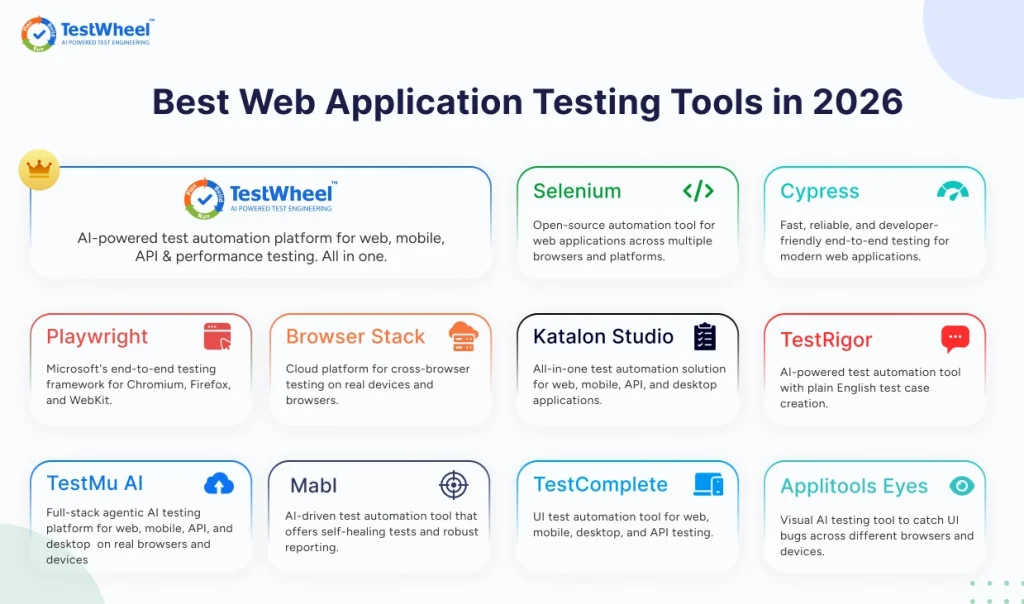
Comparison Table
| Tool | Coding Required |
AI Self-Healing |
Unified Web + Mobile + API |
CI/CD Integration |
Free Trial |
|---|---|---|---|---|---|
| TestWheel | No | Yes | Yes | Yes | 14 days |
| Selenium | Yes | No | No (web-focused) | Yes, with setup | N/A |
| Playwright | Yes | No | No (web-focused) | Yes, with setup | N/A |
| Cypress | Yes | No | No (web-focused) | Yes | Free plan available |
| BrowserStack | Depends on framework used | No | Device/browser access only | Yes | Yes |
| Katalon Studio | Optional | Limited | Yes | Yes | Yes |
| testRigor | No | Partial | Web + mobile | Limited | Yes |
| TestMu AI (LambdaTest) | Depends on module used | Partial (via KaneAI) | Device/browser access only | Yes | Free tier available |
| Mabl | No | Yes | Web + mobile web + API | Yes | No free tier |
| TestComplete | Optional | Yes | Yes | Yes | Yes |
| Applitools Eyes | Yes (adds onto existing tests) | No (visual diffing, not self-healing) | Visual layer only | Yes, via SDK | Free tier available |
1. TestWheel
TestWheel is a cloud-based, AI-driven test automation platform built to cover the full testing lifecycle for web applications in one account, including functional, cross-browser, mobile, API, performance, and security testing. It provides capabilities that traditionally require multiple web application testing tools.
Instead of writing code, you describe what you want to test in plain English. TestWheel converts it into an automated test, ready to run. If your team already has manual test cases written in a spreadsheet, TestWheel’s AI can convert those into automated scripts as well.
Test maintenance is another burden. Every time a button gets renamed or a page layout shifts, a scripted test can break, and someone has to fix the locator by hand. TestWheel’s self-healing engine detects these UI changes and repairs the affected test automatically. This cuts down the busywork that takes up so much of QA time.
Because it is a unified platform, a team that starts with web application testing can extend the same account to mobile app testing, API testing, and load testing without buying separate tools. This makes it an alternative to using multiple web application testing tools across different stages of the testing lifecycle. It also connects into CI/CD pipelines like Jenkins, GitLab CI, and Azure DevOps, so tests can run automatically on every code push.
Pros:
- No coding required to build or run tests; plain-English test creation is possible.
- AI self-healing automatically fixes broken tests after UI changes; no human effort needed.
- One platform covers web, mobile, API, performance, and security testing.
- Fast setup, with most teams running their first test within a day.
- Affordable pricing for small and mid-sized teams, starting at $10/month.
Cons:
- Cloud-first architecture, so teams needing a fully air-gapped, on-prem setup might not get everything they want.
- Newer to the market than Selenium, so the community forum and third-party tutorial base is smaller.
- Framework-level customization (writing raw Selenium or Playwright code inside the platform) is not the primary workflow; the platform is built around low-code and no-code use.
Pricing starts at $10 a month for the Basic plan and $30 a month for Pro, with a 14-day free trial.
| Plan | Price | API Testing Limit | Users |
|---|---|---|---|
| Basic | $10/month | Up to 10 APIs | 1 |
| Pro / Team | $30/month | Up to 100 APIs | Up to 5 |
| Enterprise | Custom | Unlimited | Unlimited |
2. Selenium
Selenium is the oldest and most widely used open-source framework for automating browsers. It is free, supports multiple programming languages (Java, Python, C#, and more), and works across nearly every browser. As one of the most established web application testing tools, Selenium remains a popular choice for teams with strong coding expertise.
Pros:
- Completely free and open source.
- Huge plugin ecosystem and community support.
- Works with almost every browser and operating system.
Cons:
- Requires solid coding knowledge to write and maintain scripts.
- No built-in reporting or self-healing; teams need extra tools.
- Tests can become flaky and need frequent manual upkeep as the app changes.
3. Playwright
Playwright is a developer-focused framework built by Microsoft. It automates Chromium, Firefox, and WebKit browsers from a single API, with strong support for modern, JavaScript-heavy web apps. As one of the leading web application testing tools, Playwright is well suited for teams testing modern web applications.
Pros:
- Fast execution with built-in auto-waiting, which reduces flaky tests.
- Wide cross-browser support, including Safari’s WebKit engine.
- Solid documentation and active development.
Cons:
- Requires coding experience in JavaScript, TypeScript, Python, or another supported language.
- No native low-code interface for non-technical testers.
- Setting up parallel execution at scale needs quite a bit of extra infrastructure work.
4. Cypress
Cypress is a JavaScript-based end-to-end testing framework that stands out for its fast setup. It’s also a winner for its real-time test runner that shows exactly what is happening as a test executes. As one of the popular web application testing tools, Cypress is well suited for teams looking for fast and developer-friendly end-to-end testing.
Pros:
- Easy to install and quickly set up for JavaScript-heavy teams.
- Real-time reloading and clear visual feedback while tests run.
- Great for testing single-page applications built in React, Vue, or Angular.
Cons:
- Limited to JavaScript.
- Cross-browser support is narrower than Selenium or Playwright.
- Not designed for testing multiple browser tabs or domains in one test.
5. BrowserStack
BrowserStack is a cloud platform that offers QA teams access to real browsers and real devices for cross-browser and cross-device testing, making it one of the popular web application testing tools, without requiring teams to maintain an in-house device lab.
Pros:
- Access to thousands of real browser and device combinations.
- Integrates with existing Selenium, Cypress, and Playwright test suites.
- Useful for manual, exploratory testing and automated runs.
Cons:
- It offers infrastructure, not a full test-authoring tool. Teams still need a framework to write tests in.
- Costs can climb quickly for teams running a lot of parallel tests.
- No AI self-healing for test maintenance.
6. Katalon Studio
Katalon Studio is a testing tool built on top of Selenium and Appium. It adds a more accessible interface for web application testing tools, along with API, mobile, and desktop testing in one IDE.
Pros:
- Codeless recording alongside scripting options for advanced users.
- Covers web, mobile, API, and desktop testing in one tool.
- Built-in reporting and test management features.
Cons:
- Heavy for small teams that only need simple web testing.
- Some advanced features are locked behind paid tiers.
- Performance can slow down on larger, more complex test suites.
7. testRigor
testRigor lets testers write test cases in plain English, similar to TestWheel. It’s one of the web application testing tools suited for QA teams that want automation without a technical background.
Pros:
- Plain-English test creation allows non-coders to create tests.
- Generative AI helps stabilize and fix tests against minor UI changes.
- Great for teams without dedicated automation engineers.
Cons:
- Less depth in performance and security testing.
- Smaller CI/CD integration ecosystem compared to more established tools.
- Less flexibility for teams looking for full code-level control.
8. TestMu AI (formerly LambdaTest)
LambdaTest, rebranded to TestMu AI, is a cloud testing platform built around a large device and browser grid, making it one of the web application testing tools that gives teams access to thousands of real and virtual browser and OS combinations without maintaining their own device lab.
The platform now bundles several separate products, including live manual testing, automated test execution, an orchestration layer called HyperExecute, a visual regression tool called Smart UI, and an AI test-authoring agent called KaneAI. Each is billed separately.
Pros:
- One of the largest real device and browser clouds on the market, with 3,000+ browser and 10,000+ device combinations.
- Free tier available for individuals and small-scale testing.
- Works alongside existing Selenium, Playwright, Cypress, and Appium tests.
Cons:
- Pricing is split across six separate tracks (Live, Automation, HyperExecute, Smart UI, KaneAI, Test Manager), hard to predict upfront.
- Several reviewers report that meaningful usage beyond the free tier gets expensive quickly.
- Advanced features (like real device support for mobile automation) are Enterprise-only.
9. Mabl
Mabl is a low-code test automation platform built around a browser extension, the Mabl Trainer. It records user flows and turns them into automated tests, making it a useful option among web application testing tools for mid-market and enterprise QA teams that want AI-assisted web, API, and performance testing without heavy scripting.
Pros:
- AI-powered auto-healing adapts tests automatically when the UI changes. Lower test maintenance.
- Covers browser and mobile web UI, API, accessibility, and performance testing from one plan.
- Unlimited local test runs at no extra cost.
Cons:
- No free tier.
- Native mobile app testing is limited, since Mabl is built primarily for mobile web.
- Pricing is based on test-run volume, so costs can climb fast when running large regression suites.
10. TestComplete
TestComplete is a desktop-installed GUI test automation tool for web, Windows desktop, and mobile applications, making it one of the web application testing tools that supports both scripted testing in JavaScript, Python, or VBScript and record-and-replay for no-code teams.
Pros:
- AI-powered object recognition can identify UI elements even in complex interfaces like PDFs, charts, and legacy mainframe or SAP screens.
- Supports parallel test execution across 1,500+ remote environments.
- Flexible if you want to mix scripting and no-code recording in the same project.
Cons:
- Licensing is priced per user, per year.
- On-premises by default, so teams need to manage their own installation.
- Steeper learning curve for teams new to desktop-based automation tools.
11. Applitools Eyes
Applitools Eyes is a visual testing tool that plugs into existing Selenium, Playwright, Cypress, or Appium test suites. It adds AI-driven visual comparisons, making it one of the web application testing tools for flagging layout bugs, overlapping elements, and rendering issues that functional tests miss.
Pros:
- Visual AI is trained to ignore trivial pixel differences while still catching real layout shifts and broken responsive breakpoints.
- Ultrafast Grid captures one screenshot and renders it across many browser and viewport combinations in the cloud, cutting down visual regression run times.
- Free tier available.
Cons:
- It only handles visual testing. Teams still need a separate framework to write and run the underlying functional tests.
- Pricing for paid tiers is usage-based and not published upfront.
- Smaller or simpler sites may not see enough benefit to justify the cost.
Popular Web Application Testing Frameworks
A framework is the underlying structure used by a testing tool to organize, run, and report on tests. The framework decides how test cases are grouped, in what order they run, how failures get logged, and what a report looks like. Without this structure, you would have a pile of separate scripts with no consistent way to run or track them.
- Selenium WebDriver is the foundation many automation tools are built on. It sends commands directly to a browser to click, type, and navigate like a real user, and supports multiple coding languages.
- Playwright and Cypress are newer, JavaScript-first frameworks for modern web apps. They run tests faster than traditional Selenium setups because they wait intelligently for elements to load instead of pausing the test.
- TestNG and JUnit are not browser automation tools. Commonly paired with Selenium, they organize test cases, group them, set priorities, and generate reports.
Low-code and AI-driven frameworks, like the one behind TestWheel, skip the coding layer. A tester describes an action in plain English, and the platform translates it into an automated test behind the scenes.
Web Application Testing Checklist
Use this checklist before every major release, and you’ll minimize the number of predictable bugs from escaping to production.
- Confirm requirements are covered: Match every test case to a feature requirement so nothing important is skipped.
- Test core user flows first. Login, signup, checkout, and search should be tested before edge cases.
- Run cross-browser checks: Test on Chrome, Firefox, Safari, and Edge; each browser renders the website differently.
- Check responsive behavior: Confirm the layout holds up on mobile, tablet, and desktop screen sizes.
- Validate forms and input fields: Test both correct and incorrect inputs, including empty fields and special characters.
- Test API responses: Verify how the app handles slow or failed API calls gracefully, along with the happy paths.
- Run a basic security pass: Check for exposed data, weak authentication, and unprotected endpoints.
- Load test before high-traffic events: Simulate real user volume so the app doesn’t crash during a sale or launch.
- Re-run regression tests: The new code hasn’t broken features that already worked.
- Review test reports with the team: Share pass and fail results so developers can fix issues before release.
Why Choose TestWheel for Cross-Browser Testing?
Cross-browser bugs are problematic because they often are not “broken” across the board. They are just inconsistent. A layout that looks fine in Chrome might overlap in Safari, and a functional test that only checks whether a button is clickable can miss that.
TestWheel runs the same test across multiple browsers from its cloud infrastructure, so a team does not need to install or maintain browser versions locally.
Tests are written in plain English, so you do not need to rebuild a separate script for every browser combination. Combine that with self-healing, and a small change in one browser’s rendering does not lead to rewriting the whole test suite.
For a deeper look at how this compares to other tools, TestWheel’s guide to the best cross-browser testing tools breaks it down further.
Picking the Tool That Fits Your Team
There is no single “best” tool for every team.
A team of engineers comfortable writing code may lean toward Selenium or Playwright for full control. A small team without dedicated QA engineers will move faster with a no-code, AI-driven platform like TestWheel. This is particularly true if it needs to cover web, mobile, and API testing without three separate subscriptions.
Whatever the tool, it’s important to start building the habit: test early, test across browsers, and automate the repetitive checks so your team can focus on the bugs that actually need human judgment.
If you want to see how fast a no-code setup can get you real coverage, TestWheel’s free trial takes a few minutes to start.
P.S: If API testing is next on your list, here’s a closer look at the best API testing tools, best web application testing tools, Best Mobile application testing tools and Best Application security testing tools.
Frequently Asked Questions
1. What are web application testing tools?
Web application testing tools are software programs that check whether a website or web app works correctly across browsers, devices, and operating systems. Testers use them to find and catch bugs before real users find them.
2. What is the difference between manual and automated web application testing?
Manual testing means a person clicks through the app by hand to check for issues. Automated testing uses tools to run the same checks repeatedly and automatically, usually much faster and with less human effort.
3. Which is the best free web application testing tool?
Selenium is the most widely used free, open-source web application testing tool. However, it requires in-depth coding knowledge to set up and maintain.
4. Do I need to know how to code to use web app testing tools?
No. Tools like TestWheel and TestRigor let you build automated tests with plain English instructions. That means testers without a coding background can build and run tests.
5. What should a web application testing checklist include?
A proper web application testing checklist should cover core user flows, cross-browser checks, responsive design, form validation, API responses, basic security checks, and regression testing before every release.
6. How much do web application testing tools cost?
Pricing varies widely between tools. Open-source frameworks like Selenium are free but need engineering time to maintain. Platforms like TestWheel start around $10 a month. Other enterprise tools can run into thousands of dollars a year.
7. Can one tool handle both web and mobile app testing?
Yes. Some platforms, including TestWheel and Katalon Studio, cover web, mobile, and API testing within a single account.
8. What is cross-browser testing and why does it matter?
Cross-browser testing checks that a web app looks and works the same way across different browsers like Chrome, Firefox, and Safari. Each browser can render code slightly differently, leading to bugs that only show up on specific browsers.
9. How often should automated tests run?
Most teams run automated tests on every code change through a CI/CD pipeline. They include a full regression pass before major releases.
10. Are AI-powered testing tools reliable for production use?
Yes, when paired with human review.
AI features like self-healing reduce maintenance work and catch UI changes automatically, but human experts should still review test reports rather than trusting automation blindly.