-
January 26, 2024
- Share:
-

-

-

-

Modern applications rely on multiple data sets working together. Mobile apps, web applications, payment gateways, analytics tools, and third-party integrations depend on APIs to exchange data and trigger actions. When an API fails, it can disrupt workflows and impact multiple applications – even if the user interface appears to work normally.
API testing validates these behind-the-scenes processes. It ensures APIs respond correctly, handle errors, perform reliably under load, and remain secure as systems scale. Unlike UI testing, which only checks user endpoints, API automation testing examines the core business logic, data flows, and integrations that keep software applications running smoothly.
By testing APIs early and continuously, teams can figure out issues like failed transactions, incorrect data, or security gaps before they reach end users. In fast-moving CI/CD environments, automated API tests act as a safety tool, helping deliver reliable, high-quality software faster.
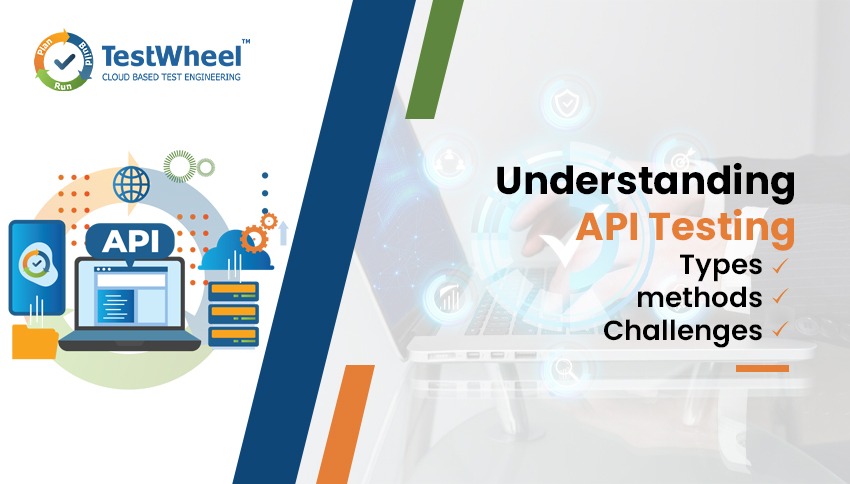
This guide explains API automation testing in simple terms, covering its types, tools, methods, common challenges, and a real user scenarios.
What is API Testing?
API testing is the process of testing application programming interfaces to verify that they function as expected. Unlike UI testing, which focuses on visuals, API testing checks the logic, responses, performance, and security of APIs.
- The API returns correct data for valid requests
- Errors are handled properly for invalid input
- Authentication and authorization rules are enforced
- Response times stay within acceptable limits
Since APIs often serve multiple applications, a single defect can affect many services. API testing helps reduce this risk.
Why Is API Testing Important?
APIs are the backbone of modern applications. Testing them ensures reliability and efficiency. Key reasons include:
- Many APIs are built before the user interface, so early testing ensures core functionality works even before the front-end is ready.
- API tests run quickly and are less prone to false failures than UI tests.
- A single API problem can impact several apps or services. Testing ensures stability across the system.
- Detecting bugs early saves time and reduces costly fixes in production.
Prioritizing API testing helps teams maintain reliability, prevent cascading failures, and deliver better software faster. Also learn more about why you shouldn’t skip testing APIs
What is API Automation Testing?
API automation testing is the process which automatically validates the API’s functionality, reliability, and security of web application with minimal script knowledge. It involves the specialized automation testing tool which helps the developers and testers to quickly identify the errors which are associated with the API. As per Gartner’s marketing analysis software-testing tools, improve software quality and reduce cycle times by optimizing test efforts, providing early feedback about the quality of release candidates and improving consistency. Learn more differences about the Manual vs Automation testing
Types of API Testing
API testing is not one-size-fits-all. Different types of tests focus on different parts of the API to make sure it works properly, securely, and efficiently.
Here are the main types of API automation testing with simple explanations and examples:
Functional Testing
Functional testing checks whether the API does what it is supposed to do. It tests the core functionality of the API.
Example:
A payment API should create a new transaction when a user completes a purchase. Functional testing would check if the API returns the correct confirmation, updates the order status, and deducts the right amount.
Integration Testing
Integration testing ensures the API works well with other systems or services. This is important when multiple APIs or services depend on each other.
Example:
An e-commerce app uses a product API and an inventory API. Integration testing verifies that stock levels update correctly when a new order is placed.
Performance Testing
Performance testing measures how the API behaves under different loads. It checks speed, stability, and responsiveness, especially when many users are using it at the same time.
Example:
A video streaming platform’s API serves thousands of users. Performance testing checks that spikes in traffic don’t slow down or crash the service.
Security Testing
Security testing ensures the API is safe from unauthorized access or attacks. It checks authentication, authorization, data encryption, and other security measures.
Example:
A banking API should only allow authorized users to view account details and must encrypt sensitive data.
Load and Stress Testing
Load testing checks how the API performs under expected high traffic, while stress testing pushes it beyond its limits to see where it might fail. Learn the difference between Performance vs Load vs Stress testing.
Example:
An online ticketing system is expecting thousands of users during a concert sale. Load testing simulates normal peak traffic, while stress testing simulates extreme traffic to see if the API breaks or slows down.
Unit Testing
Unit testing checks individual parts or functions of the API in isolation. This ensures each small piece works correctly before testing the full API.
Example:
A user API calculates account age. Unit tests check this function with different inputs before testing the full API.
Contract Testing
Contract testing ensures the API follows agreed-upon rules for request and response formats. This is especially useful when multiple teams or services rely on the same API.
Example:
A shipping API promises a JSON response with orderId, status, and deliveryDate. Contract testing verifies consistency across updates.
Different types of API automation testing help catch problems at different levels. Functional and integration testing ensures the API works as intended. Performance, load, and stress testing check speed and reliability. Security testing protects data, and contract testing ensures consistency for all users and systems. Learn what are the impact of automation in software development.
By combining these testing types, teams can be confident that their APIs are reliable, fast, secure, and ready for real-world use.
Best API Testing Tools
| Tool | No-Code Testing | AI / Self-Healing | API Protocol Support | CI/CD Integration | Performance Testing | Security Testing |
|---|---|---|---|---|---|---|
| TestWheel | Yes | Yes (Full AI Suite) | REST, XML, JSON | Jenkins, Azure DevOps, Jira | Yes (Built-in) | Yes (OWASP ZAP) |
| Postman | Partial | Limited (AI Assist) | REST, GraphQL, WebSocket | Yes | No (Basic Only) | No |
| SoapUI | No | No | REST, SOAP, GraphQL | Yes (Pro Only) | Yes (Pro Only) | Yes (Pro Only) |
| Katalon | Yes (Low-Code) | Yes (AI Self-Heal) | REST, SOAP, GraphQL | Yes | No | No |
| JMeter | No | No | REST, SOAP, FTP | Yes | Yes | No |
| REST Assured | No (Code Only) | No | REST | Yes | No | No |
| Bruno | Partial | No | REST | Limited | No | No |
If you want to learn more about Best API Testing Tools
Popular API Testing Tools
Testing APIs is easier and faster when you use the right tools. Here are some commonly used options:
- TestWheel is an AI-driven, cloud-based test automation platform that covers the full testing lifecycle: web, mobile, API, performance, desktop, and security testing. It is the most practical starting point, and one of the best API testing tools for QA teams that want automated API testing without writing any code.
- Postman: A very user-friendly tool for sending API requests and checking responses. With Postman, testers can create automated tests, organize them into collections, and share them with the team, making routine testing much simpler.
- SoapUI: Often used for both SOAP and REST APIs. Soap UI, supports advanced features like security checks and load testing, allowing testers to build detailed testing scenarios for complex APIs.
- JMeter: Best known for performance testing, but Jmeter can also handle functional API testing. This makes it a versatile choice for testing both how an API behaves under load and whether it works correctly.
- Karate: A platform that combines API testing, performance testing, and mock servers. Karate’s easy-to-read syntax helps testers automate scenarios quickly without needing a lot of setup.
Using these tools helps teams save time, automate repetitive tasks, and get clear reports on API performance and reliability, making the testing process more efficient and organized.
Preparing for API Testing: Tools and Tips
Starting with API testing doesn’t have to be complicated. Here’s what you need to begin:

- Understand the API: Read the API documentation carefully. Know the endpoints, request formats, expected responses, and any rules or limitations. This will guide your testing.
- Choose a Testing Approach
- Passive Testing: Observe API requests and responses while interacting with the app normally. This helps in understanding how the app communicates with the backend. Tools like Charles Proxy, Fiddler, or Proxyman are useful here.
- Active Testing: Interact with the API directly using tools like Postman, SoapUI, or Insomnia. This lets you send requests and check responses without relying on the front-end.
- Use Documentation and Support Tools
Swagger provides detailed API documentation and allows basic testing of endpoints. These can be very helpful, especially for large or complex APIs. - Have Basic Coding Knowledge
Some API tests require simple scripts, often in JavaScript or Python, to automate requests, validate responses, or simulate workflows. - Define Test Cases
Plan scenarios that cover all important aspects: functionality, performance, and security. Include positive and negative cases to catch both expected and unexpected behaviors. Learn how to generate test cases with AI. - Access the Test Environment
Make sure to have the right credentials and access to any services the API interacts with.
With these steps, you can start testing APIs efficiently, find issues early, and help ensure applications are reliable and secure.
Common HTTP Methods Used in API Testing
API tests commonly use standard HTTP methods to validate CRUD operations:

- GET: This method retrieves the data
- POST: This method creates new resources
- PUT: This method updates existing resources
- PATCH: This method partially updates the data
- DELETE: This method removes available resources
Testing these methods ensures APIs handle data operations accurately and consistently.
Common Bugs Found During API Testing
When testing APIs, some types of bugs show up more often than others. Understanding these can help teams prevent issues before they reach users:
- Incorrect or Unexpected Data: Sometimes an API returns the wrong information or uses a format the application doesn’t expect. This can break workflows.
Example: A user profile API returns a string instead of a number for age, causing the app to crash when calculating age-based features. - Authorization and Authentication Problems: If access controls aren’t enforced correctly, unauthorized users may access sensitive data or perform actions they shouldn’t.
Example: A payment API allows a user to view another user’s transaction history due to missing authentication checks. - Performance Issues: APIs can slow down or fail under heavy traffic. Slow responses or timeouts can affect the whole application.
Example: During a flash sale, a product API takes too long to respond, delaying checkout for hundreds of customers. - Broken Endpoints: Sometimes requests don’t reach the intended resource or return errors like “404 Not Found.”
Example: A shipping API fails to return tracking information because the endpoint URL was changed in the backend. - Security Vulnerabilities: Without proper security measures, APIs can be exposed to threats like SQL injection or cross-site scripting.
Example: A user registration API accepts unsafe inputs, letting attackers inject malicious commands into the database.
Catching these bugs during API testing ensures that applications remain reliable, secure, and performant for end users.
E-Commerce Order Processing Scenario
Consider an e-commerce application where customers place orders through a web or mobile app. Several APIs work together to complete a single checkout flow, including order creation, inventory validation, payment processing, and shipping confirmation.
API testing in this scenario would include:
- Verifying successful order creation with valid input
- Handling failed payments or out-of-stock items gracefully
- Ensuring inventory updates after an order is placed
- Preventing unauthorized access to order details
- Testing performance during high-traffic sales events
Without proper API testing, users might experience failed checkouts, incorrect charges, or delayed order updates – even if the UI appears functional.
Common Challenges in API Testing
Despite its advantages, API testing presents several challenges:
- Incomplete or outdated API documentation
- Complex authentication and authorization mechanisms
- Managing test data across environments
- Dependences on external or third-party services
Addressing these challenges requires clear documentation, stable test environments, and well-defined testing strategies.
Best Practices for API Testing
To get the most out of API testing, following some best practices can make tests more effective and maintainable:
- Test Early and Often
Start testing APIs as soon as endpoints are ready. This “shift-left” approach helps catch bugs early, reducing costly fixes later. - Use Automated Tests Where Possible
Automating frequent tests saves time and ensures consistency, especially for regression or performance checks. - Combine Different Testing Types
Use a mix of functional, integration, performance, and security tests. This ensures APIs are not just working, but also fast, reliable, and secure. - Validate Responses Thoroughly
Check not just status codes, but also response formats, data accuracy, and error messages. This ensures the API behaves as expected under different scenarios. - Keep Tests Maintainable
Write reusable test scripts and organize them clearly. When APIs change, updating tests should be easy and quick. - Monitor in Production
Even after testing, monitor APIs in live environments. This helps catch issues that only appear under real-world traffic and user behavior. - Use Realistic Test Data
Test with data that mimics actual users and workflows. This helps uncover edge cases and ensures tests are meaningful.
Following these best practices ensures APIs are reliable, secure, and ready to support modern applications efficiently. Here you can get the essential for API testing checklist.
How API Testing and Automation Work Together?
API testing ensures that APIs function correctly, perform well, and stay secure. Manually testing APIs can be slow and prone to mistakes, especially in complex systems or with frequent updates. Organizations often rely on API testing by TestWheel to automate repetitive validation tasks and improve testing efficiency.
Automation makes API testing faster, more consistent, and scalable. By creating scripts that run tests repeatedly, teams can catch issues early, test across multiple environments, and cover both expected and unexpected scenarios.
One major advantage is integrating automated API tests into CI/CD pipelines. Tests run automatically whenever new code is added, helping developers identify and fix bugs immediately.
In addition to functionality and performance, organizations should prioritize API security testing to identify vulnerabilities, protect sensitive data, and ensure APIs are resilient against potential attacks. By combining API testing with automation, teams save time, reduce errors, improve coverage, and deliver high-quality software faster.
Explore Other Testing Guides
Web Application Testing Guides
Mobile Application Testing Guides
Application Security Testing Guides
Conclusion
API automation testing is essential for modern software development. By validating APIs independently of the user interface, teams can detect issues early, prevent failures, and ensure applications scale reliably. Strong API testing practices are key to delivering high-quality, secure, and fast software.