-
April 20, 2026
- Share:
-

-

-

-


A QA team has three testers and one automation engineer. The engineer already has forty test scripts to maintain. Every time an element shifts in the UI, someone has to patch the code manually before the next release.
The other two testers, who know the product better than anyone else, can’t touch the scripts because they don’t write Java or Python. So they sit on the sidelines doing manual checks and waiting for the engineer to find time.
This is the exact gap that low code test automation was built to close. Instead of forcing every tester to learn a programming language, it lets people build and run automated tests using visual steps, plain English, and some code only when necessary.
If this is something you’re considering in your AI-powered test automation strategy, this guide walks through what low code test automation means, how it works day to day, and where it fits into a modern QA process.
What Is Low Code Test Automation?
Quick answer: Low code test automation (also called low code testing) is a way to build automated software tests using visual drag-and-drop steps, recordings, or plain English, instead of writing full scripts by hand.
It still allows a small amount of code for tricky edge cases, which is what separates low-code test automation from no-code testing. Most teams adopt it so people who don’t know how to code can still create and maintain automated tests.
Traditional test automation means writing every test in a language like Java, Python, or JavaScript, usually with a framework like Selenium or Cypress. It gives total control, but every test needs a developer, and every UI change can break dozens of scripts overnight.
With low code test automation, a manual tester can record a checkout flow in ten minutes without touching code. An engineer on the same team can open that same test and add a custom script for a one-off edge case, like a coupon that only applies on weekends.
Both people work on the same test, using the amount of code that fits their skill level.
Low Code vs. No Code vs. Traditional Test Automation
Understanding the spectrum helps you pick the right approach for your team:
| Category | Traditional (Coded) | Low Code | No Code |
|---|---|---|---|
| Skill Requirement | Strong programming (Java, Python, JS) | Minimal coding; visual + optional code | Zero coding; fully visual |
| Test Creation Speed | Days to weeks per test suite | Hours to days | Minutes to hours |
| Flexibility | Unlimited, any logic you can code | High, visual + code escape hatch | Moderate, constrained to built-in actions |
| Maintenance | High, fragile selectors, manual updates | Low, AI self-healing, visual edits | Low, but limited for complex changes |
| Best For | Complex, custom, enterprise-scale suites | Most teams, balances speed and power | Quick smoke tests, non-technical users |
A low-code test automation strategy is good for most businesses because it offers the speed of no-code solutions while enabling them to handle complex situations as they arise.
Characteristics of Low Code Test Automation
At a basic level, low-code testing is visual first, readable by non-coders, and still allows some coding underneath. Each of those traits changes how a QA team actually works day to day.
A few characteristics show up across almost every low-code testing platform:
1. Flexible Test Authoring
- Plain language instructions: You type what you want tested in plain English, like “log in with a valid email and password, then check that the dashboard loads.” AI turns that into a runnable test, filling in the right locators, waits, and checks behind the scenes.
- Record and playback: A tester clicks through the app the way a real user would, and the record and playback feature captures each action automatically; no scripting needed.
- Visual builder: For flows with more logic, like a checkout that behaves differently for a returning buyer, testers can drag steps onto a canvas and add conditions without typing code.
2. Optional Code for Edge Cases
- Code injection when needed: When a test needs something plain language or visual steps can’t cover, like a math calculation, testers can drop in a short script instead of rebuilding the whole test.
- No dead ends: Because code is optional rather than required, a test never hits a wall. Someone on the team can always step in with a small script.
3. AI-Powered Self-Healing
- Self-healing locators: TestWheel notices when a button’s ID or position changes and updates the test automatically instead of failing it outright. This is the idea behind self-healing test automation.
- Clear failure evidence: When a test does fail for a real reason, it comes with a screenshot or short recording of the exact moment it broke, so you know exactly what went wrong and when.
4. Reusable and Organized Tests
- Reusable components: You can save and reuse a sequence of steps, like a login flow or a search step, across dozens of tests instead of rebuilding them each time.
- Consistent structure: Because tests are built the same way across the team, anyone can open someone else’s test and understand it without a walkthrough.
5. One Platform Across Web, Mobile, and API
- Cross-surface coverage: A single test structure can be used to test the same flow on a browser, a mobile app, and the API behind it. No need to build the same coverage three different times.
- Runs in parallel: Instead of running one test after another, multiple tests run at once, so a full regression pass takes minutes.
6. Built for Team Collaboration
- Non-technical contributors: Manual testers, business analysts, and product managers can all write and read tests. QA is no longer confined to the only people who can code.
- CI/CD integration: Tests connect to tools like Jenkins, Azure DevOps, GitHub Actions, and JIRA, so they run automatically on every build.
Why Teams are Using Low Code Test Automation
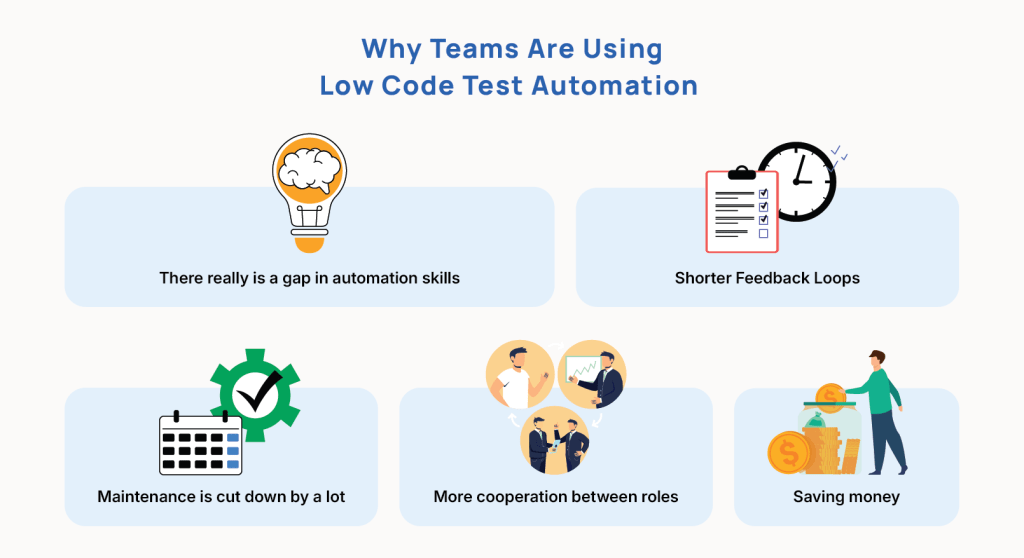
1. There really is a gap in automation skills
It costs a lot of money and takes a long time to find engineers who know how to use Selenium, understand how businesses work, and have time to build test scripts. The World Quality Report 2025–26 indicated that half of all organizations still lack AI or ML experts on their QA teams. Low-code testing solutions fill this gap by letting those same manual testers add to automation coverage in days instead of months.
2. Shorter Feedback Loops
Building and keeping tests up to date can take longer than building the feature itself in a standard scripted manner. Low code platforms can speed up test creation by up to 10 times. This means that automated tests are ready within the same sprint, which allows for genuine shift-left testing and finding bugs before they go live.
3. Maintenance is cut down a lot
Test maintenance is the hidden enemy of automation ROI. Changing the UI or the ID of an element can break hundreds of scripts in a single night. AI-powered self-healing is used by modern low-code test automation systems to find changes in elements and automatically adjust selectors. Teams that use hybrid testers with AI and automation abilities are 1.8 times more likely to use self-healing tests than teams that are less mature. Companies also say that test maintenance is 80–90% less work.
4. More cooperation between roles
When tests are written in visual flows or plain language, they may be viewed by product owners, business analysts, and developers. This common language makes test suites into living documentation, helps make sure that everyone is on the same page with requirements, and spreads the quality workload throughout the whole team.
5. Saving money
Companies that switch to low-code automated testing usually save 25% to 75% on costs. This is because they don’t need as many specialized automation experts, maintenance costs go down, and products get to market faster.
Importance of Low Code Test Automation
Quick Answer: Low code automation is important because there are not enough people who can automate, too much time is spent fixing broken tests, release speed is outpacing manual checks, and the cost of specialized hiring is why low code test automation has moved from a nice-to-have to a standard part of QA strategy in 2026.
Low code testing is also important because most QA teams don’t have enough people who can code. The ones who can are already buried in maintenance work instead of building new coverage. It addresses a staffing problem that most software teams deal with every quarter.
Not Enough People Who Know How to Code
Most QA teams have more manual testers than people who can write automation scripts.
Here’s a common scenario.
A retail company hires ten manual testers to cover a busy holiday release calendar. Only one of them actually knows how to script in Selenium. Every time a feature ships, that one person becomes the bottleneck, while the other nine keep clicking through the same regression checks by hand, week after week.
This is the manual testing vs automation tradeoff most teams run into. Low code test automation removes the bottleneck by letting all ten people contribute, whether or not they can code.
The World Quality Report has repeatedly found that a large share of QA organizations, often close to half, still lack enough AI or automation specialists on staff. That gap is why automation coverage stalls at 20 or 30% of an app instead of reaching 70 or 80%
Test Maintenance Eats Up Time Meant for New Coverage
Test scripts break constantly because UIs change every sprint. Fixing those broken scripts eats the time teams meant to spend building new tests.
A renamed CSS class or a moved button can break dozens of scripts overnight. Teams using self-healing test automation inside a low-code platform will be able to cut down the maintenance load enormously. The AI updates broken locators instead of leaving a human to hunt them down one by one. That freed-up time goes straight back into building new tests.
Manual Testing Can’t Keep Up with Release Speed
Teams shipping every one or two weeks don’t have time to manually retest the whole app before every release.
A team releases every Friday, but a full manual regression pass takes three days. By the time testers finish clicking through last week’s features, three new ones have already shipped and need testing.
Low code testing runs the same regression checks in minutes, so testers catch up with the release calendar instead of falling behind every sprint.
Hiring and Keeping Automation Engineers Is Expensive
A dedicated automation engineer is hard to hire. Losing one mid-project can stall a team’s entire automation effort.
If a company’s only automation engineer leaves, every script they wrote becomes harder to maintain, since nobody else fully understands the code behind it.
Low code testing spreads that knowledge across the whole team instead of locking it inside one person’s head. Since anyone can build tests with minimal code, one person leaving does not stall months of work.
Who Should Use Low Code Test Automation?
- There isn’t just one type of person who can use low code test automation. The following jobs all gain:
- People who do manual testing and wish to switch to automation without having to learn a programming language from the beginning.
- QA engineers who wish to speed up the process of developing tests and spend more time on strategy, edge cases, and exploratory testing.
- Developers need to quickly check features during the sprint without having to construct a separate test framework.
- People who own products and business analysts who wish to make sure that user stories are implemented appropriately by writing tests in plain English.
- DevOps and release managers require automatic gates in their CI/CD pipelines that they can trust to ship with confidence.
Core Features of a Low Code Test Automation Platform
Not every tool calling itself “low code” delivers the same depth. Here are the features that separate genuine platforms from rebranded record-and-playback tools:
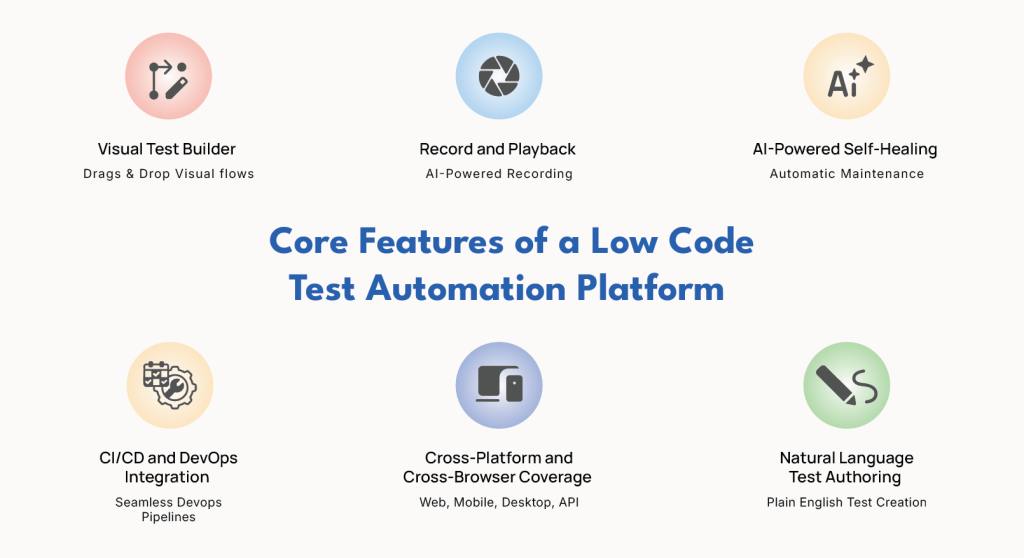
Visual Test Builder
A drag-and-drop interface with pre-built action blocks (click, type, assert, wait, loop) that lets testers construct end-to-end flows visually. The best builders also support conditional logic, data-driven parameterization, and reusable test components without writing a single line of code.
Record and Playback
Users interact with the application while the platform captures every action and generates a test automatically. Modern recorders go far beyond legacy tools, they use AI to identify smart selectors, group steps into logical modules, and suggest assertions based on page state.
AI-Powered Self-Healing
When an element’s ID, class, or position changes, the platform re-identifies the element using multiple locator strategies and updates the test automatically. This single capability is responsible for the dramatic reduction in maintenance that low code platforms are known for.
Learn more about how self healing test automation can empower your team
Natural Language Test Authoring
Some platforms now allow testers to describe scenarios in plain English (or any supported language) and have AI translate those descriptions into executable test steps. This is the frontier of codeless test automation, making test creation as simple as writing a user story.
Cross-Platform and Cross-Browser Coverage
Enterprise-grade low code testing platforms execute tests across web browsers, mobile devices (real devices, not just emulators), desktop applications, and APIs from a single interface. This eliminates the need to maintain separate frameworks for each platform.
CI/CD and DevOps Integration
Seamless integration with Jenkins, GitHub Actions, Azure DevOps, JIRA, and other pipeline tools ensures that automated tests run on every build and results feed directly into your development workflow. You can also use the TestWheel Jenkins Plugin to trigger automated tests directly from your Jenkins pipeline.
Advantages of Low Code Test Automation
The benefits of low code testing show up primarily in three places: speed, cost, and who gets to participate in testing. Here’s how it can make a real difference in QA productivity and ROI:
- Faster test creation: Teams can build tests much faster with low code tools. A checkout flow that took two days to script in Selenium can often be recorded and refined in under two hours.
- Lower maintenance cost: Self-healing locators handle minor UI shifts automatically, so teams spend less time each sprint just keeping old tests alive.
- Broader team participation: Manual testers and business analysts who understand the product deeply can create tests themselves instead of waiting on an engineer.
- Shorter feedback loops: When tests get built in the same sprint as a feature is developed, more bugs get caught before release.
- Real cost savings: Teams switching to low-code automated testing will see significant cost reductions because they won’t have to hire as many technical personnel, since anyone can build tests.
- Living documentation: A visual test, built from readable steps, also acts as a walkthrough of how a feature works. This is something that a product manager can review without a code explainer.
Pro-Tip: Low code test automation isn’t a magic fix for every scenario. Extremely complex logic, like a financial calculation with dozens of conditional branches, may still need hand-written code layered in.
Best Practices for Low Code Test Automation
Even though low code test automation removes the need for heavy scripting, it still needs good test design. A messy set of recorded tests can become just as fragile and hard to maintain as messy code.
For example, a messy kitchen with the best cookware still produces bad meals if ingredients aren’t organized. The same goes for testing. Good habits early on save teams from a tangled, unreliable test suite six months later.
A few practices will consistently help you extract real value from low code test automation:
Build reusable modules, not one-off recordings
If five tests all start with a login step, build that login once as a reusable component. When the login screen changes, you just fix it in one place, not five.
Name steps and tests clearly
A test named “Test_1247” tells nobody anything six months from now. A test named “Checkout – Applies 20% Promo Code at Cart Page” tells the whole story at one glance.
Clean up recordings and match the method to the task
Trim accidental clicks out of raw recordings. Then use record-and-playback for straightforward flows. Use the visual builder for conditions or loops. Build and run custom code only for edge cases, like validating a PDF invoice.
Prioritize high value flows
Automate the flows that carry the most business risk first, like checkout and login. Don’t bother with automating every screen on day one.
Keep test data separate from test logic
Store login credentials and sample orders outside the test steps, so the same test can run with different data sets without rebuilding them each time.
What to Look For in a Low Code Test Automation Tool
When evaluating low-code test automation tools, prioritise these factors:
- Breadth of coverage: Can the tool test web, mobile, API, desktop, and performance from a single platform? A unified solution eliminates tool sprawl and reduces onboarding time.
- AI capabilities: Does it offer self-healing, smart element identification, and natural language authoring? AI is what makes the “low code” promise actually work at scale.
- Code flexibility: Can engineers inject custom scripts when edge cases demand it? The best platforms are low code by default and full code when needed.
- Scalability: Will it handle your test volume as your application grows? Look for parallel execution, cloud-based device grids, and support for continuous testing workflows.
- Security and compliance: For government and regulated industries, look for SSO/CAC authentication, Iron Bank certification, and on-premise deployment options.
- Time to value: How quickly can your team create its first automated test? The answer should be hours, not weeks.
The Low Code Test Automation Process: A Step-by-Step Guide
Rolling out low code test automation follows a fairly predictable process, whether you’re a nine-person startup or a six-hundred-person enterprise.
Here’s the general sequence most successful teams follow:
- Map your critical user journeys: List the flows that are most important: login, checkout, search. These are the ones that drive real value or carry business risk if they break.
- Pick a platform that fits your stack: Check whether the tool covers web, mobile, API, and desktop. It should also fit your existing CI/CD pipeline.
- Start with one or two flows: Don’t automate everything at once. You will end up with a bloated, unreliable suite that nobody trusts. Build the login and one core transaction first, as proof that the tool and techniques are actually providing value.
- Record, refine, reuse: Capture the flow with record-and-playback, break out reusable steps, and add assertions that check the actual outcome.
- Layer in data and conditions: Add data-driven variations, like different user roles or payment methods. This way, one test structure covers many scenarios.
- Connect to your pipeline: Insert tests into CI/CD so they run automatically on every build, catching regressions before any humans look into them.
- Expand gradually, then review: Add new flows every sprint based on risk. Then revisit older tests to remove duplication and retire outdated ones.
Consider a free trial of TestWheel. Spin up your first test in hours.
Spin up your first test in hours
TestWheel Approach to Low Code Test Automation
TestWheel is built around the idea that test automation should be accessible for the whole QA team, not just the person who knows how to code.
Inside TestWheel, testers build a test the way that fits them best: the built-in record and playback recorder for quick flows, natural language for plain-English scenarios, or the visual builder with custom scripting for edge cases, all within the same test.
This AI-powered platform brings web, mobile, API, desktop, and performance testing into one place, so teams aren’t switching between separate tools for each type of testing.
TestWheel also applies self-healing across every test. When an element’s ID or position shifts after a release, it re-identifies the element using backup signals and updates the test automatically.
This is why many TestWheel users migrating off tools like Selenium see maintenance workloads drop sharply within weeks of the switch. If you’re making the jump from manual testing, TestWheel can get a first automated test running in hours instead of months.
Ready to see how low code test automation works in practice? Start a free trial with TestWheel and build your first automated test today, no scripting required.
Frequently Asked Questions
1. Is low code test automation good for complex applications?
Yes. Modern low-code platforms support conditional logic, data-driven testing, and chained API calls. Testers can also add custom code for anything the visual builder can’t handle. This covers most complex, enterprise-scale scenarios.
2. Does low code test automation replace manual testers?
No. It just shifts their attention elsewhere. Instead of repeating the same regression checks by hand on every release, testers can automate these. They can use the time freed up to perform exploratory tests and check edge cases automation still can’t catch.
3. How long does it take to learn low code test automation?
Most testers build their first working test within a day, since the recorder and visual builder are designed to be intuitive. It takes a few weeks of regular use to become comfortable with the reusable components and best practices.
4. What is the difference between low code and no-code test automation?
No-code testing removes coding entirely. QAs can only use a set of pre-set, visual actions the tool interface offers. Low-code testing keeps that visual-first approach but allows a small script when a scenario requires something the platform UI can’t handle.
5. Can low code test automation run inside a CI/CD pipeline?
Yes. Most low-code platforms integrate directly with tools like Jenkins, GitHub Actions, Azure DevOps, and JIRA. This lets tests run automatically on every build.
6. Does low code test automation still need engineers?
It needs them less, but they can’t be cut out entirely. Engineers are important when designing tests for complex edge cases and overall test architecture. Low code test automation just means they aren’t the only ones who can create and maintain tests.
7. Is low code testing the same thing as low code test automation?
Yes, “low code testing” and “low code test automation” mean the same thing and are used interchangeably. Both refer to creating automated tests through visual tools and plain language, with optional code for edge cases.